Branching Narratives for Product Marketing: Let Prospects ‘Test-Drive’ Your Value Prop in Questas


Static product pages ask prospects to believe your value prop.
Branching, interactive stories invite them to experience it.
That difference is why interactive content consistently outperforms static assets on engagement and conversion. Studies show interactive formats can generate 2–3x more engagement and 2x more leads than traditional content, while brands using interactive experiences report 30% better lead quality on average. Interactive demos on marketing sites have been measured converting at 24%+, nearly 8x higher than traditional content. (marketingltb.com)
Branching narratives built in a no‑code platform like Questas let you turn your product story into a playable “test drive” where:
- Prospects follow paths that match their role, use case, or pain points.
- Each choice reveals a different angle of your value.
- You collect rich behavioral signals along the way.
This post walks through how to design those experiences for product marketing—so your next “demo” feels less like a pitch and more like a story your buyer can’t put down.
Why Branching Narratives Belong in Your Marketing Funnel
Interactive content isn’t just a gimmick; it’s a response to how buyers actually evaluate products now.
1. Buyers want to self‑serve and explore
B2B and prosumer buyers increasingly prefer to research on their own before talking to sales. Interactive demos and guided experiences:
- Let visitors explore on their own time, without scheduling friction.
- Offer a safe sandbox to try workflows and see if the product fits.
- Filter out low‑intent traffic—those who complete an experience are usually serious.
Navattic’s 2025 report found that companies using interactive product demos saw 20–30% increases in win rates, with demo‑qualified leads converting 2.4x better than standard MQLs. (swiftdemos.com)
2. Interactivity makes your value prop felt, not just read
When prospects:
- Choose a scenario that mirrors their job.
- Make tradeoffs (speed vs. control, automation vs. customization).
- See immediate, visual feedback on those choices…
…they’re not just hearing “we save you time.” They’re feeling what it’s like to live in a world where your product is already working for them.
3. Every branch is a data point
Branching narratives double as qualitative and quantitative research:
- Which paths do prospects choose first?
- Where do they drop off?
- Which outcomes correlate with demo requests or trials?
If you’re already excited about using short, interactive stories for insight, you’ll find a lot of overlap with the ideas in Micro‑Quests, Macro Insight: 10 Bite‑Size Questas Formats for User Research, Polls, and Surveys.
What a “Test‑Drive” Experience Looks Like in Questas
Before we get tactical, it helps to picture the end result.
Imagine a visitor lands on your homepage and sees:
“What kind of marketer are you? Play through a 3‑minute story to see how [Your Product] fits your day.”
They click, and a Questas story opens:
- Intro node: A short scene: “It’s Monday morning. Your dashboard is full. What do you tackle first?”
- First choice: “Fix tracking issues” vs. “Launch a new campaign” vs. “Report to leadership.”
- Branching paths: Each choice leads to a tailored mini‑scenario showing how your product handles that challenge.
- Outcome node: They see a summary of what they achieved (time saved, errors avoided, revenue unlocked) plus a CTA aligned with their path.
They’ve just “lived” a slice of your value prop.
On your side, you see:
- Which role/use case they chose.
- How far they progressed.
- Which outcome they reached.
That’s the heart of a marketing‑oriented branching narrative in Questas: short, relevant, and tightly tied to your product’s core promises.
Step 1: Choose the Right Moment in the Buyer Journey
Not every stage of your funnel needs a branching story. Focus where interactivity does what static assets can’t.
Strong use cases:
- Homepage “Try it without signing up” journeys
Let visitors experience a core workflow in 2–4 minutes. - Persona‑specific paths from campaign pages
E.g., “I’m a RevOps leader” vs. “I’m a CMO,” each with tailored branches. - Feature launches and repositioning
Instead of a long feature page, offer a story that shows when and why that feature matters. - Sales‑assist content
Reps send a pre‑call “choose your path” story so prospects arrive primed and opinionated.
Ask yourself:
Where are we currently over‑explaining in text what would be obvious if people could just try it?
Start there.
Step 2: Frame Your Product as a Story Problem
Great branching narratives start from a decision with stakes, not from a feature list.
For product marketing, that usually means:
- A recurring pain your best customers share.
- A high‑leverage moment in their week or quarter.
- A tradeoff they’re tired of making.
Examples:
- Analytics platform: “You have 20 minutes before your exec review. Which metric story do you tell?”
- DevOps tool: “Production is slowing down. Do you ship now, roll back, or investigate?”
- HR platform: “A new policy just dropped. How do you roll it out without chaos?” (If this resonates, see how we treat similar stakes in Beyond PDFs and Portals: How HR Teams Can Turn Policy Rollouts into Playable Questas Change Journeys.)
Turn that into a one‑sentence premise for your Questas story:
“A [role] is under pressure to [outcome], but they’re blocked by [pain].”
Everything else branches from there.
Step 3: Map 3–5 Core Branches (Not 50)
The temptation with branching tools is to build a giant tree. For marketing, small is better:
- 1 intro scene
- 2–3 key decision points
- 3–5 distinct endings
That’s enough to:
- Let people see themselves in the story.
- Surface 2–3 core value props.
- Capture meaningful behavioral data.
A simple structure to start with in Questas:
- Scene 1 – Setup
Introduce the problem and the stakes. - Choice A – What do you prioritize?
Map options to your main use cases (e.g., “speed,” “accuracy,” “collaboration”). - Scene 2 – Consequence
Show what happens with and without your product’s help. - Choice B – How bold are you?
Offer a conservative path vs. a more advanced use of your product. - Scene 3 – Result & Reflection
Summarize impact, reveal metrics, and offer a next step.
If you’re worried about players getting stuck or overwhelmed, the design ideas in Adaptive Difficulty in Interactive Stories: Using Soft Gates, Hints, and Optional Paths in Your Questas translate well to marketing stories too—especially when you want to keep things accessible for non‑gamers.
Step 4: Turn Features into Meaningful Choices
The biggest mistake marketers make with branching is just re‑skinning their feature grid as “choices.”
Instead, design decisions that feel like the real tradeoffs your buyers make.
Translate features into dilemmas
Instead of:
- “Do you want automated reports or manual reports?”
Try:
- “It’s 5:45 p.m. You can either:
- Go home on time and let our automated report ship as‑is, or
- Stay late to manually double‑check every number.”
Your product’s automation isn’t the choice—it’s the resolution to a stressful situation.
Give each path a distinct emotional arc
For each branch, aim for a different flavor of experience:
- Success with ease – “You made the bold choice, and the product had your back.”
- Success with friction – “You got there, but it felt harder than it needed to.”
- Near‑miss – “You almost nailed it, but a missing capability cost you.”
Then align your CTAs:
- After “success with ease”: “Ready for this to be your real Monday? Start a free trial.”
- After “success with friction”: “See how [Your Product] removes the manual steps.”
- After “near‑miss”: “Book a 15‑minute consult to de‑risk this in your workflow.”
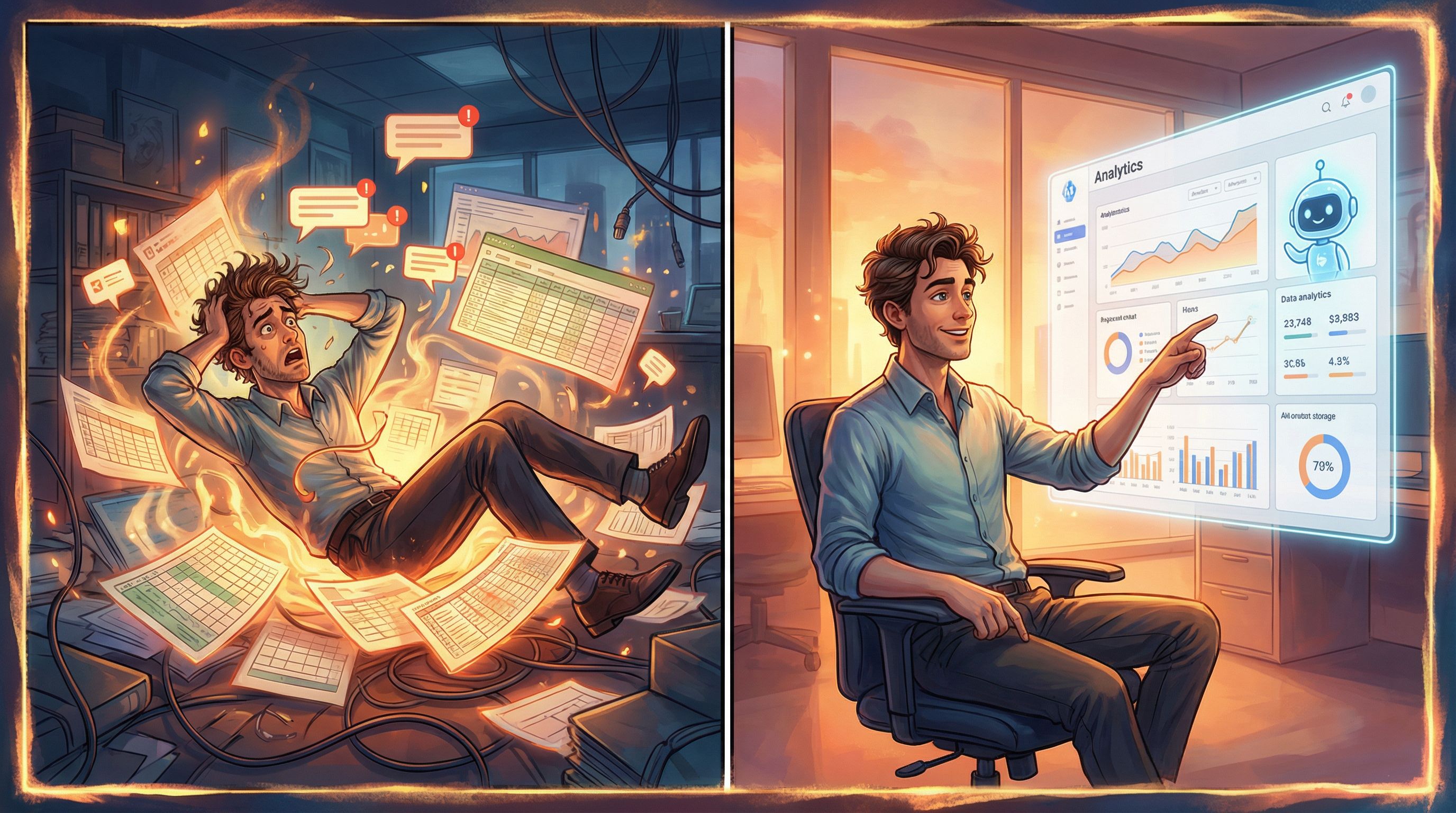
Step 5: Use AI‑Generated Visuals to Sell the Feeling
Because Questas supports AI‑generated images and video, you can:
- Show the before and after of a messy process.
- Visualize dashboards, alerts, or real‑world environments.
- Convey tone—calm control vs. frantic firefighting—without a single extra paragraph.
Best practices for marketing visuals:
- Anchor scenes in reality.
Think office desks, factory floors, Zoom calls, dashboards on laptops—not abstract gradients. - Show diversity with intention.
Reflect the range of people who actually use your product. - Avoid visual overload.
One strong image per scene beats a collage of tiny, unreadable UI.
If you want to go deeper on visual craft, Writing with the Camera in Mind: Cinematic Techniques for Framing AI Images in Your Questas Scenes is packed with framing and composition tips you can apply directly to product stories.
Step 6: Build It Fast in the Questas Editor
Here’s a practical workflow to go from idea to live “test drive” story.
- Draft your node map on paper or a whiteboard
- List scenes and choices.
- Keep branches shallow but distinct.
- Create scenes in Questas
- Use the visual, no‑code editor to add nodes.
- Write concise copy focused on stakes and outcomes.
- Generate visuals
- For each key scene, prompt the AI image tool with: role, setting, mood, and any UI elements.
- Reuse styles across scenes for continuity.
- Wire choices to branches
- Label choices clearly (“Automate the report” vs. “Do it manually”).
- Ensure every choice leads somewhere interesting, even if it’s a “worse” outcome.
- Add lightweight instrumentation
- Tag nodes corresponding to key milestones (e.g., “Chose Enterprise path,” “Reached ROI ending”).
- Plan how you’ll pass those events into your analytics or CRM.
- Embed or link from your site
- Place it near your primary CTA (“Watch demo,” “Start trial”).
- Consider A/B testing static vs. interactive experiences.
Step 7: Read the Signals and Iterate
Once your branching narrative is live, treat it like a living experiment.
Key metrics to watch:
- Engagement rate: What % of visitors who start actually finish?
- Path distribution: Which branches are most popular? Are some almost never chosen?
- Drop‑off nodes: Where do people bail out?
- Conversion by path: Which endings correlate with demo requests, trials, or signups?
Practical optimization moves:
- Shorten slow intros.
If drop‑off is high on node 1–2, tighten copy or start closer to the action. - Clarify choices.
If one option gets 80%+ of clicks, the others might feel unclear or risky. - Tune difficulty and ambiguity.
If everyone “fails,” the story feels rigged. If everyone “wins,” it feels meaningless. Borrow techniques from training‑oriented posts like Scenario‑First Story Design: Building Training Questas That Start with Real‑World Decisions to calibrate fairness.
Remember: your goal isn’t to build the perfect story on day one. It’s to ship a testable prototype quickly, then evolve it. If that mindset appeals, you’d probably enjoy the rapid‑build approach in The One‑Evening Story Sprint: Shipping a Complete Questas Prototype from Blank Page to Playtest.

Step 8: Connect Branches to Real CTAs and Next Steps
A beautiful narrative that dead‑ends is a missed opportunity. Tie each path to a specific, relevant next action.
Ideas:
- Contextual CTAs at endings
- “Book a 15‑minute pipeline review” for revenue‑focused paths.
- “Start a sandbox workspace” for technical evaluator paths.
- Personalized follow‑up emails
- “You chose to prioritize data quality—here’s a 3‑minute video on how our validation engine works.”
- Sales alerts and enrichment
- Push high‑intent paths (e.g., “Completed advanced automation ending”) into your CRM with tags.
- Let reps open a session replay or summary before outreach.
The more your story feels like a seamless extension of your funnel, not a side quest, the more commercial impact you’ll see.
Step 9: Reuse the Same Branching Narrative Across Channels
One of the underrated benefits of building your “test drive” in Questas is how portable it is.
You can:
- Embed it on your homepage or feature pages.
- Gate advanced branches as a lead magnet while keeping a lighter intro ungated.
- Use it in webinars or live workshops as a shared experience you walk through together.
- Repurpose scenes into social clips, email sequences, or sales enablement decks.
Over time, you can even build a series:
- Episode 1: “Is this product for me?”
- Episode 2: “How would I implement it?”
- Episode 3: “What does success look like six months later?”
Because Questas supports AI‑assisted writing and visuals, extending your story universe doesn’t require a full game studio—just a clear sense of your buyer’s journey.
Bringing It All Together
Branching narratives give you a way to:
- Let prospects test‑drive your value prop instead of just reading about it.
- Capture richer intent signals than any static form or PDF.
- Turn your product story into a memorable, shareable experience.
With Questas, you can:
- Identify a high‑leverage decision your buyer faces.
- Map 3–5 branches that mirror real tradeoffs.
- Use AI‑generated visuals to make scenes vivid and relatable.
- Instrument key nodes for analytics and CRM.
- Launch, measure, and iterate in days—not months.
You don’t need to gamify your whole funnel. You just need one well‑crafted, 3–5 minute story that makes someone say:
“Oh. That’s what this product would feel like in my life.”
Ready to Build Your First Product Story Test Drive?
If you’re curious how branching narratives could work for your product, the best next step is a small, focused experiment.
Here’s a simple challenge:
- Pick one persona and one recurring pain.
- Write a three‑scene outline of how that pain shows up in their week.
- Turn it into a playable story in Questas and share it with 5–10 prospects or customers.
Watch how they respond. Listen to what they say out loud while playing. Then iterate.
Your value prop is already strong enough to win deals. Now it’s time to let prospects feel it—one branch at a time.