Collaborative Adventures: How to Co-Create Questas Stories with Teams, Students, or Communities


Interactive stories are already powerful. Interactive stories that multiple minds build together? That’s where things get truly memorable.
Collaboration turns a single branching narrative into a shared world: writers, educators, marketers, students, and fans all contributing characters, choices, and what-if scenarios. With platforms like Questas, which offers a visual, no‑code editor plus AI‑generated images and video, co-creating these adventures is more accessible than ever.
This guide will walk through why collaborative storytelling matters, how to structure it for different groups (teams, classrooms, communities), and practical workflows you can use right away.
Why Co-Creating Interactive Stories Is Worth the Effort
Whether you’re working with a product team, a classroom, or a fan community, building stories together offers benefits you can’t get from solo work.
1. Better ideas, richer worlds
When multiple people contribute:
- More perspectives → more believable characters and scenarios
- More “what ifs” → deeper branching and surprising outcomes
- More expertise → subject-matter specialists can shape authentic decisions (perfect for training, education, and marketing)
In Questas, this collaboration shows up as:
- Different people owning different branches or episodes
- Specialists writing realistic dialogue for their domain
- Visual thinkers driving AI image prompts while writers focus on text
2. Stronger engagement and ownership
People are far more invested in a story they helped build.
- Teams feel a sense of shared ownership over training sims, onboarding journeys, or interactive pitches.
- Students are more motivated when their choices shape the narrative, not just their quiz scores.
- Communities become co-authors instead of passive consumers.
If you’re planning to release public stories or series, collaborative worldbuilding also sets you up for longer-term projects. For tips on sustaining that momentum over time, see how others plan series in From One-Shots to Series: Planning Episodic Questas Stories That Keep Players Coming Back.
3. Faster iteration and learning
Collaboration isn’t just about more content; it’s about better content, faster.
- Multiple people can draft scenes in parallel.
- Test players can give feedback while creators adjust branches.
- AI can generate visuals and alt-scenes quickly, letting your group experiment without a heavy production pipeline.
Pair this with player data—covered in Analytics for Adventure: Using Player Data to Improve Your Questas Stories Over Time—and your collaborative project can evolve continuously instead of being a one-and-done release.
Start with a Shared Vision (Before Anyone Touches the Editor)
The biggest risk in collaborative branching stories is chaos: disconnected tones, orphaned branches, and conflicting canon.
Before anyone logs into Questas, gather your collaborators and align on a few fundamentals.
Define the “north star” of the adventure
Answer these questions together:
- Who is this for?
- New hires? High school students? Existing fans of a series? Prospective customers?
- What should players feel?
- Curious, empowered, anxious, playful, reflective?
- What should players learn or do by the end?
- Understand a concept, practice a skill, explore a world, make a purchase decision, reflect on values?
- How long should a single playthrough be?
- 3–5 minutes for snackable experiences
- 10–20 minutes for deeper journeys
If you’re targeting quick, replayable runs—especially for social media or internal campaigns—share Micro-Adventures in Minutes: Building Short, Replayable Questas Experiences for Social Media with your collaborators so everyone designs with brevity in mind.
Establish tone, genre, and constraints
Create a simple “story bible” document that covers:
- Genre & setting: near-future office, fantasy academy, historical simulation, sci-fi colony, etc.
- Tone: serious, satirical, cozy, eerie, corporate-friendly, classroom-safe.
- Canon rules: what can’t happen? (e.g., no time travel, no breaking the fourth wall, no graphic content.)
- Visual style: painterly, comic-book, realistic, minimalist UI, etc.
This doesn’t need to be long. One shared page that everyone can reference will prevent a lot of rework later.

Designing Roles and Workflows That Actually Scale
Collaboration works best when people know what they own. Instead of “everyone does everything,” define clear roles and a simple workflow.
Common roles in a collaborative Questas project
You don’t need all of these for every project, but they’re useful building blocks.
-
Story Lead
- Owns the overall arc and canon
- Approves major branches and endings
- Keeps the project aligned with goals (learning, marketing, entertainment)
-
Branch Authors
- Take responsibility for specific paths or episodes
- Draft scenes, choices, and outcomes
- Collaborate with the visual lead for imagery
-
Visual Lead / Art Team
- Crafts AI image and video prompts
- Maintains consistency in characters, locations, and style
- Uses techniques like those in Picture This: How to Prompt AI for Consistent Characters and Worlds in Questas
-
Playtest Coordinator
- Organizes test sessions
- Collects feedback and analytics
- Proposes iteration priorities
-
Facilitator or Producer
- Schedules check-ins
- Tracks tasks and deadlines
- Makes sure decisions and changes are documented
On a small team, one person might wear multiple hats. In a classroom or community, these roles can rotate so everyone experiences different parts of the process.
A simple, repeatable workflow
Use this loop to keep collaboration manageable:
-
Outline together
- Story Lead hosts a session to sketch the main path and key decision points.
- Use a whiteboard or a simple mapping approach like those in Branching Without Chaos: Simple Story Mapping Techniques for Complex Questas Narratives (great pre-read for your team).
-
Assign branches
- Each Branch Author takes one or more paths from a key decision.
- Agree on word counts, tone, and required learning or narrative beats.
-
Draft in Questas
- Authors create scenes and placeholder choices.
- Visual Lead adds rough AI images or notes where visuals are needed.
-
Group review
- Walk through each branch together.
- Check for contradictions, pacing issues, and tone mismatches.
-
Polish and test
- Refine dialogue, tighten choices, upgrade visuals.
- Run playtests with a small audience; log confusion points.
-
Iterate and lock
- Fix broken branches or unsatisfying endings.
- Lock version 1.0, but keep a backlog for future improvements.
Repeat this loop for each new episode or scenario.
Co-Creating with Teams: Training, Onboarding, and Scenarios
For businesses and organizations, collaborative Questas projects are ideal for:
- Onboarding journeys
- Sales and customer scenarios
- Compliance or safety training
- Leadership and feedback simulations
You can find more inspiration in Beyond Fantasy: 10 Unexpected Use Cases for Questas in Business, Training, and Marketing.
How to involve cross-functional teams
-
Kickoff with real stories
Invite people from support, sales, operations, and HR to share real situations they face. Turn these into candidate scenarios. -
Map decisions from real life
For each scenario, ask:- What choices does a person actually have here?
- What do novices usually do vs. experts?
- What are the visible and invisible consequences?
-
Assign branches to subject-matter experts
- Have a sales lead write the “ideal” path for a customer objection.
- Let a compliance officer outline what happens if someone ignores a policy.
-
Use Questas AI visuals to humanize content
- Generate character portraits for customers, colleagues, or managers.
- Visualize environments like warehouses, offices, or client sites.
-
Run internal playtests as workshops
- Ask new hires or cross-functional peers to play through.
- Discuss choices out loud: “Why did you pick that?”
- Capture misunderstandings as opportunities to tweak the story.
This approach doesn’t just create a training asset—it creates shared language and alignment across your organization.
Co-Creating with Students: Turning Learners into Story Designers
Collaborative storytelling is a natural fit for classrooms and educational programs. It blends writing, critical thinking, and media literacy with game-like engagement.
Why it works so well for education
- Active learning: Students apply concepts inside a narrative, not just on worksheets.
- Perspective-taking: Branches can explore different viewpoints, ethical dilemmas, or historical what-ifs.
- Creative confidence: Students see their ideas come to life quickly through AI visuals and branching logic.
If you’re an educator, you may also want to pair this guide with Classroom Adventures: How Teachers Use Questas to Turn Lessons into Playable Stories.
A classroom-friendly collaboration blueprint
-
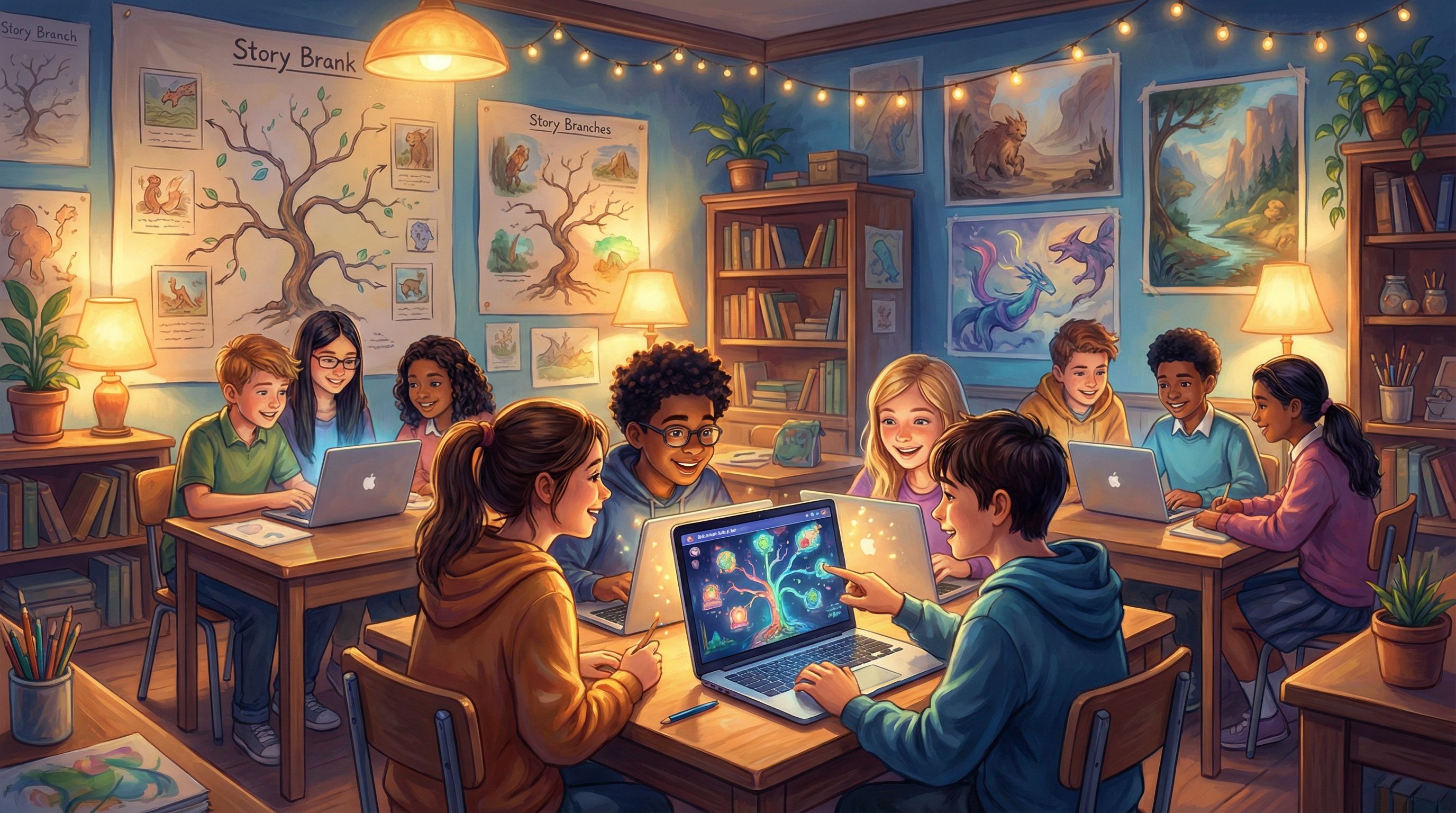
Whole-class worldbuilding session
- Choose a topic: climate change, a historical era, a novel you’re studying, or a social-emotional scenario.
- Brainstorm setting, main characters, and central conflict together.
-
Small-group branch ownership
- Divide students into groups; each group owns a branch from a major decision.
- Provide a simple template: intro scene, 2–3 choices, at least one meaningful consequence.
-
Role rotation within groups
- Writer: drafts dialogue and narration.
- Logic keeper: ensures choices connect to the right scenes.
- Visual designer: drafts prompts for AI images.
- Editor: checks clarity and grammar.
-
Build in Questas together
- Have one “tech lead” per group who drives the editor.
- Others crowd around with scripts and prompt ideas.
-
Gallery walk playtest
- Groups rotate and play each other’s branches.
- Use sticky notes or a shared doc to leave feedback: “I loved…”, “I was confused when…”, “I wish I could also choose…”.
-
Reflect and revise
- Ask students what surprised them about player choices.
- Let them revise branches based on peer feedback.
This turns your class into a mini studio, where students learn narrative design, collaboration, and critical feedback—all while having fun.
Co-Creating with Communities and Fans
If you already have an audience—readers, players, or social followers—you can invite them into the creative process.
Ways to involve your community
-
Polls and votes on key decisions
- Let fans choose which character becomes the protagonist of the next episode.
- Run polls on which branch to canonize in your main timeline.
-
Open calls for branches or endings
- Share a base story in Questas and invite fans to pitch alternate outcomes.
- Select a few to build out and credit contributors.
-
Fan-created side stories
- Provide a “story kit”: setting, character bios, and core rules.
- Let community members create their own side quests in the same world.
-
Events and jams
- Host a 48-hour “branch jam” where participants add micro-adventures to a shared hub.
- Feature the best ones in a curated collection.
Guardrails for healthy community collaboration
To keep things manageable and on-brand:
- Publish clear content guidelines.
- Decide what’s canon vs. non-canon.
- Use a review process before public publishing.
- Celebrate contributors visibly—credits, shout-outs, or dedicated “creator cards” in your stories.
Making Collaboration Smooth: Practical Tips and Tools
A few simple practices can make the difference between joyful collaboration and total confusion.
1. Centralize documentation
Keep a single, shared space for:
- Story bible (tone, canon, character sheets)
- Branch map screenshots or diagrams
- Visual style guide and prompt examples
- Task list and ownership
This could be a shared doc, a project board, or a wiki—whatever your group will actually use.
2. Standardize naming and versioning
Inside Questas, agree on conventions like:
- Scene IDs:
CH1_INTRO_01,TRAINING_PATH_A_02, etc. - Branch labels:
A,B,Cor thematic names. - Version tags:
v0.3-draft,v0.9-playtest,v1.0-release.
This makes it much easier to talk about the story without confusion.
3. Use short, focused sprints
Instead of trying to build a massive epic in one go:
- Plan 1–2 week sprints around specific goals: “Finish all branches from the first major decision,” or “Polish visuals for chapter two.”
- Timebox experiments: “For 90 minutes, everyone adds one alternate ending.”
Short cycles keep momentum high and give you frequent chances to course-correct.
4. Play early, play often
Don’t wait until your story is “done” to let people try it.
- Run internal playthroughs after each major branch is drafted.
- Ask people to narrate their thoughts as they play.
- Treat confusion and boredom as data, not failure.
The more your collaborators see real players interacting with their work, the better their instincts become.
Wrapping Up: Collaboration as the Real Adventure
Co-creating interactive stories isn’t just a way to produce more content. It’s a way to:
- Align teams around shared scenarios and decisions
- Turn students into designers and critical thinkers
- Transform audiences into co-authors and worldbuilders
With tools like Questas, you don’t need to be a programmer—or even a seasoned game designer—to build branching, visual adventures as a group. You just need a shared vision, clear roles, and a willingness to experiment together.
Whether you’re designing a training simulation, a classroom project, or a fan-driven saga, collaboration is how your stories grow bigger than any one person’s imagination.
Your Next Step
If you’re ready to try collaborative storytelling:
- Choose your group. A small team, a class, a writing circle, or a handful of superfans.
- Host a 60-minute kickoff. Align on audience, goals, and a simple story premise.
- Open Questas and build your first shared branch. Keep it small: 5–10 scenes, 2–3 meaningful choices.
- Play it together. Gather feedback, laugh at the surprises, and decide what to expand next.
The adventure doesn’t start when you hit publish—it starts the moment you invite others to build the story with you. Go gather your collaborators, open your canvas, and see what worlds you can create together.