AI Visual Storytelling for Non-Artists: A Practical Style Cookbook for Your First 10 Questas Worlds

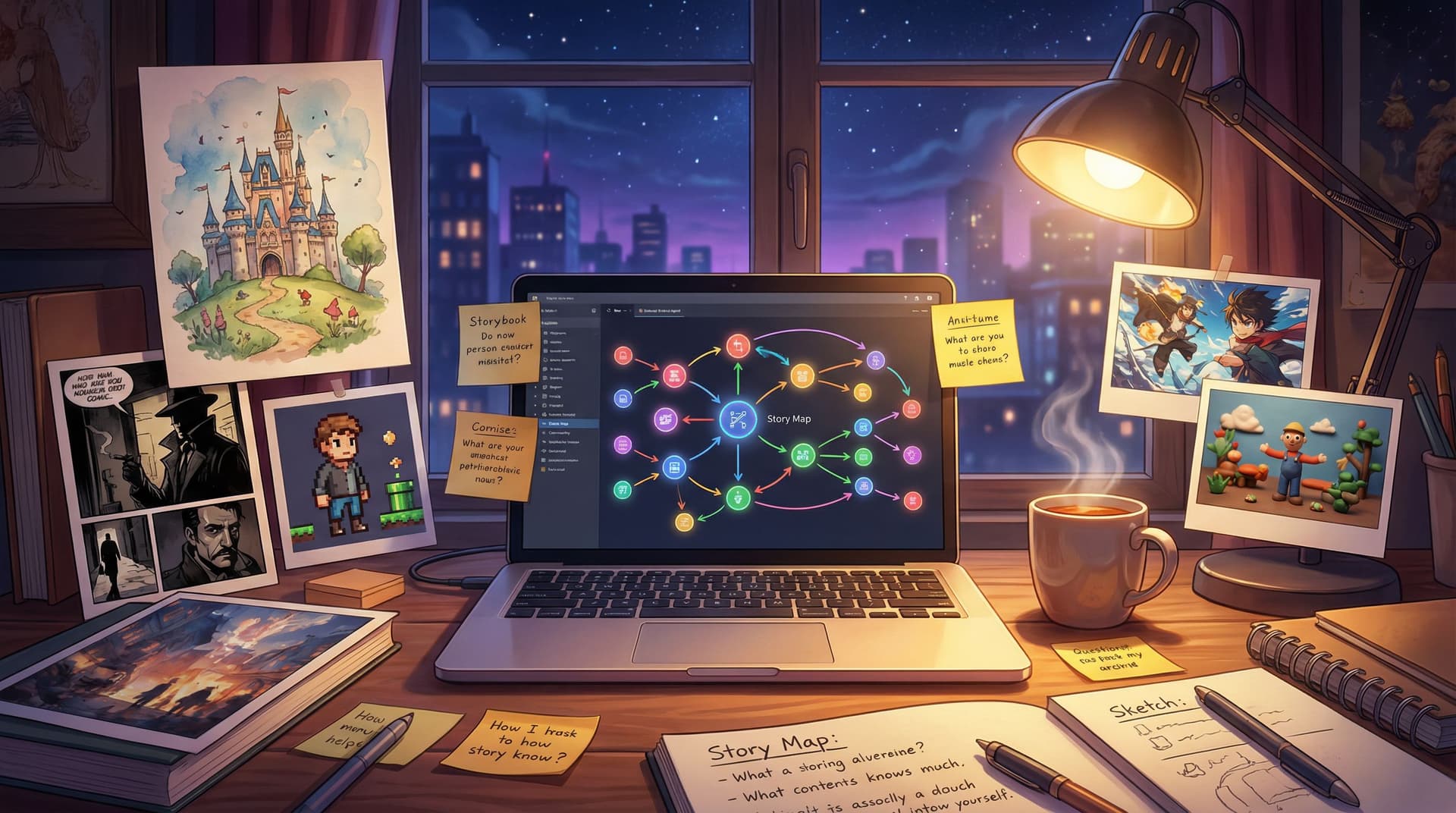
If you’ve ever thought, “I have stories to tell, but I can’t draw,” this guide is for you.
AI image and video tools have quietly made visual storytelling accessible to almost everyone. In 2024, image‑generating tools made up more than half of generative AI usage globally, and platforms like Canva’s AI image generator report tens of millions of users creating visuals without traditional design skills. That’s a signal: you don’t need to be an illustrator to build rich, visual storyworlds anymore.
Couple that with a visual, no‑code platform like Questas, and you can design branching, choose‑your‑own‑adventure experiences that look and feel like a polished game or graphic novel—without hiring an art team.
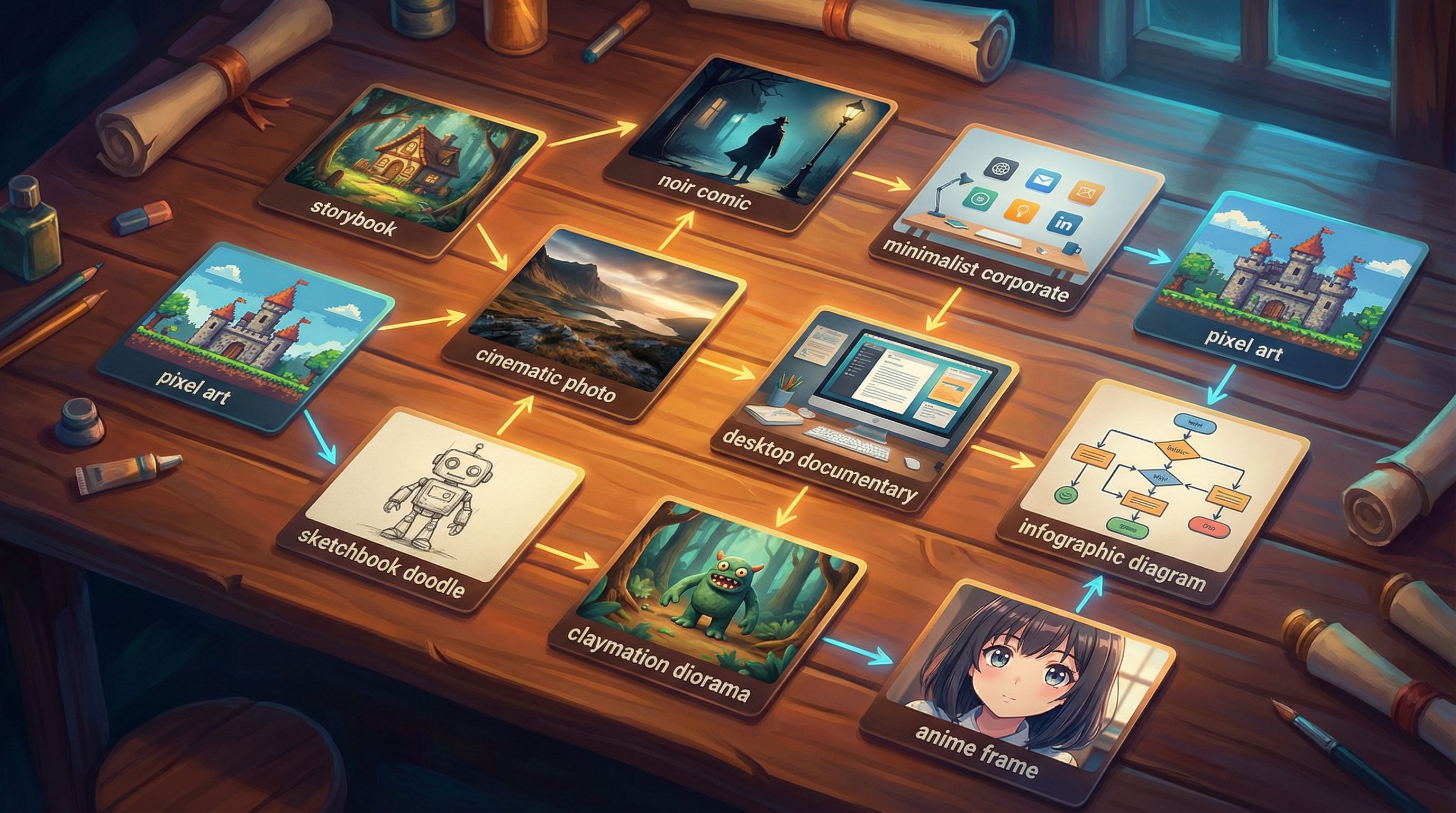
This post is a practical “style cookbook” for non‑artists: ten reliable visual styles you can use for your first ten Questas worlds, plus prompts, tips, and pitfalls to avoid.
Why Visual Style Matters (Especially When You’re Not an Artist)
When you’re building interactive stories, visuals aren’t just decoration. They:
- Signal genre and tone instantly – One glance tells players if this is cozy slice‑of‑life, horror, corporate drama, or epic fantasy.
- Anchor branching chaos – Multiple paths feel coherent when the art style is consistent, even if the plot diverges wildly.
- Reduce exposition – A single image of a cluttered detective’s desk can replace three paragraphs of description.
- Build trust – Cohesive visuals make your story feel intentional, not random.
For non‑artists, the challenge isn’t “Can I make images?”—AI solves that. The challenge is:
- Choosing one clear style per story
- Describing that style to the AI in simple language
- Repeating that style across dozens of scenes
This cookbook gives you ready‑made answers to all three.
If you want to go deeper on keeping a world visually tight across branches, bookmark AI as Art Director: Building Cohesive Visual Storyworlds in Questas Without a Design Team for later.
How to Use This Cookbook
Each of the ten styles below includes:
- Best for – Ideal genres and use cases
- Prompt formula – A reusable template you can adapt per scene
- Do / Don’t – Guardrails so your images stay consistent
- Questas tip – How to plug this style into your Questas workflow
You don’t have to try all ten. Pick one or two that match the stories you’re already itching to tell.
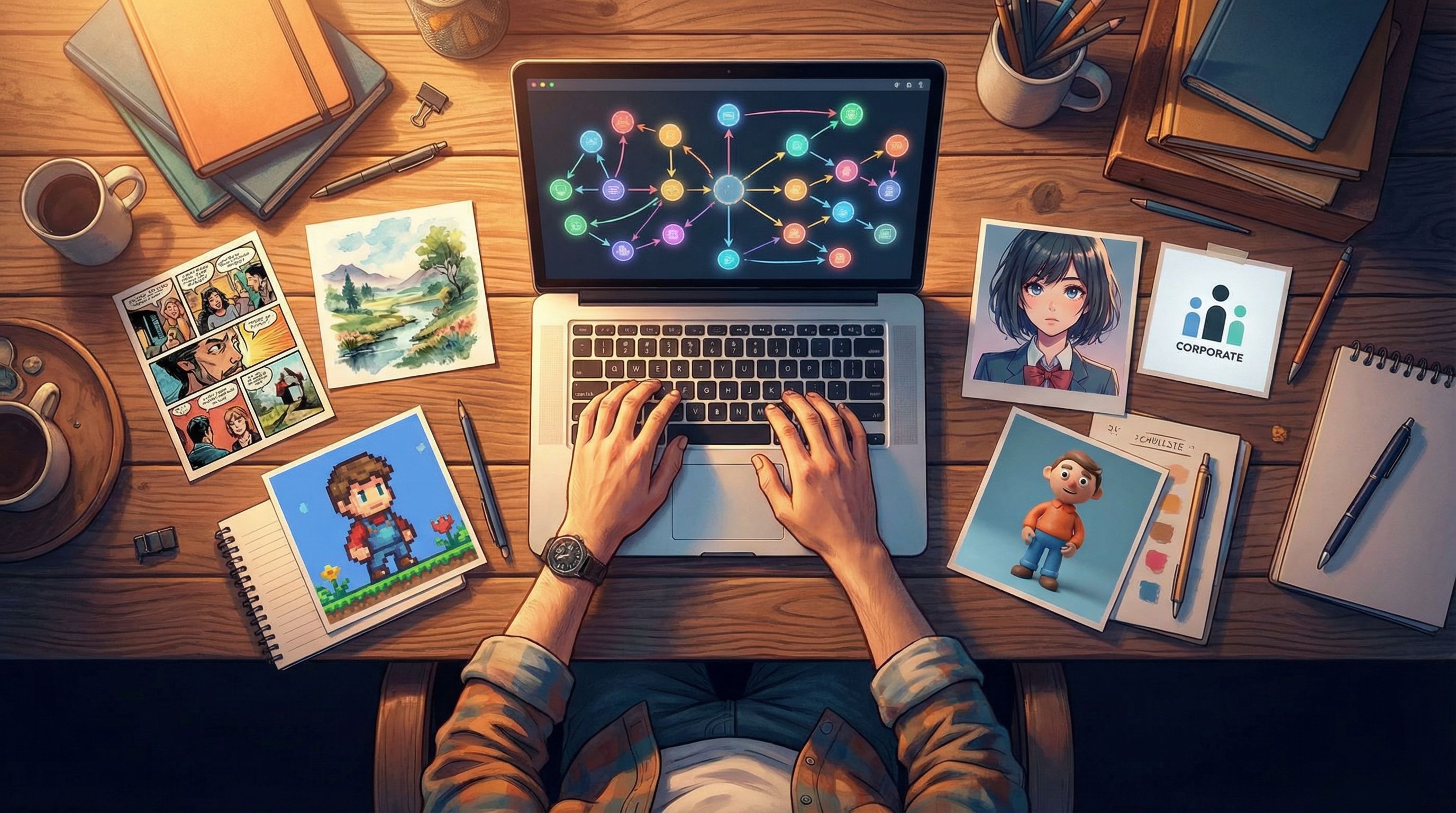
Style 1: Cozy Storybook Illustration
Best for: Wholesome adventures, slice‑of‑life, gentle onboarding stories, eLearning with low stakes.
Prompt formula:
soft watercolor illustration, cozy storybook style, [subject doing X] in [location], warm pastel colors, simple shapes, gentle lighting, no harsh shadows
Do:
- Use warm palettes (creams, soft oranges, muted greens).
- Keep character designs simple and round—no hyper‑realistic faces.
- Ask for “consistent character: [short description]” if your tool supports it.
Don’t:
- Mix this with gritty realism or heavy film‑noir lighting.
- Add too many adjectives; prioritize cozy, soft, watercolor, storybook.
Questas tip: Use this style for “onboarding” or tutorial‑like stories that need to feel safe and approachable. It pairs beautifully with the techniques in Designing ‘Session Zero’ in Questas: Onboarding Players into Complex Worlds, Rules, and Roles—a cozy style visually reassures players that they can explore without punishment.
Style 2: Graphic Novel Noir
Best for: Detective mysteries, corporate intrigue, compliance scenarios, ethical dilemmas.
Prompt formula:
high-contrast graphic novel illustration, noir style, [subject] in [location], strong shadows, limited color palette (black, white, deep teal), dramatic lighting, bold ink lines
Do:
- Keep colors limited—two or three max.
- Lean on silhouettes and shadows to show tension.
- Reuse phrases like “high-contrast graphic novel noir” in every prompt.
Don’t:
- Switch between color palettes scene to scene.
- Ask for “photorealistic” elements; it breaks the comic feel.
Questas tip: Use this style when choices carry weight—ethics training, negotiation scenarios, or Questas stories that explore tradeoffs similar to those in Beyond Branching Dialogues: Using Questas to Prototype Ethical Dilemmas, Tradeoffs, and Grey-Area Choices.
Style 3: Minimalist Slide-Deck Realism
Best for: Product walkthroughs, UX prototypes, onboarding flows, “corporate but not boring” experiences.
Prompt formula:
clean, minimalist illustration, flat design with subtle gradients, [subject] in a modern office, muted corporate color palette, simple backgrounds, no clutter, UX mockup style
Do:
- Think “Keynote slide that actually looks good.”
- Use brand‑adjacent colors if you’re doing this for a company.
- Keep backgrounds simple so text overlays stay legible.
Don’t:
- Overload with props—this style thrives on negative space.
- Mix cartoony characters with ultra‑realistic environments.
Questas tip: Perfect for teams using Questas to prototype flows or run stakeholder playtests, like in Beyond Story Mode: Using Questas to Prototype Product UX, Onboarding Flows, and Interfaces.
Style 4: Pixel Art Adventure
Best for: Retro game homages, lighthearted quests, internal culture stories that don’t take themselves too seriously.
Prompt formula:
16-bit pixel art, top-down RPG style, [subject] in [location], limited color palette, chunky pixels, simple shading, SNES-era vibe
Do:
- Keep camera angles consistent (e.g., always top‑down or always side‑view).
- Reuse the phrase “16-bit pixel art” in every prompt.
- Embrace simplicity—no tiny intricate details.
Don’t:
- Mix isometric and side‑scroll perspectives in one story.
- Ask for ultra‑detailed faces; pixel art characters are iconic, not realistic.
Questas tip: Use pixel art when you want low‑pressure experimentation. It’s a great fit for short “micro‑quests” and experiments like those in The New Interactive Zine: Short-Form, Lo-Fi Questas Experiments for Writers and Indie Creators.
Style 5: Cinematic Live-Action Stills
Best for: Serious drama, leadership scenarios, sales conversations, realistic coaching.
Prompt formula:
cinematic still frame from a movie, realistic human faces, [subject] in [location], shallow depth of field, natural lighting, 35mm film look, subtle color grading
Do:
- Keep your cast small and re‑describe them the same way each time (age, hair, clothing, vibe).
- Use consistent phrases: “cinematic still frame,” “35mm film look,” “subtle color grading.”
- Ask for “same character as previous image” if your tool supports reference images.
Don’t:
- Rapidly change hairstyles, outfits, or ages unless the story demands it.
- Mix this with cartoony or painterly styles in the same Questas world.
Questas tip: This style shines for scenario‑based coaching and L&D content, especially when paired with techniques from Beyond Training Modules: How L&D Teams Can Use Questas for Scenario-Based Coaching and Feedback.
Style 6: Desktop Documentary (Over-the-Shoulder UI)
Best for: Product tours, security/compliance stories, OSINT/mystery narratives, “you are at the computer” plots.
Prompt formula:
over-the-shoulder view of a laptop screen, realistic office desk, [type of app or website] visible on screen, neutral lighting, documentary style, focus on the screen content
Do:
- Treat the screen as your stage—emails, dashboards, chats, logs.
- Keep the desk props consistent (same mug, notebook, plant).
- Use this style to show evidence or clues.
Don’t:
- Overcomplicate the UI; you want legible, not pixel‑perfect.
- Switch between wildly different desktop setups without narrative reason.
Questas tip: Great for branching investigations, phishing simulations, or “day in the life” stories where each branch reveals a different document or message.
Style 7: Diagrammatic Infographic
Best for: Explaining frameworks, visualizing branching paths, making complex systems understandable.
Prompt formula:
clean vector infographic, simple icons, [concept] diagram, flat colors, lots of white space, labeled arrows, modern UI design
Do:
- Use this style sparingly as interludes between narrative scenes.
- Keep iconography consistent (same style of arrows, people, devices).
- Reuse a limited color palette.
Don’t:
- Try to cram an entire novel onto one infographic.
- Use more than 4–5 colors; clarity beats flair.
Questas tip: Perfect for recap scenes: “Here’s what your choices have affected so far.” You can also use it as a visual map at the start of a Questas experience.
Style 8: Lo-Fi Sketchbook
Best for: Intimate, personal stories; indie zine vibes; rough prototypes you plan to iterate.
Prompt formula:
hand-drawn pencil sketch, loose lines, minimal shading, [subject], white paper background, rough zine style, slightly messy margins
Do:
- Embrace imperfection—wobbly lines, visible strokes.
- Ask for “same notebook style” or “same sketchbook page” across scenes.
- Combine with handwritten‑style fonts in Questas for titles or choices.
Don’t:
- Over‑render; if the tool keeps making it too clean, add “rough, imperfect, unfinished” to your prompt.
- Mix polished 3D renders into the same world.
Questas tip: This is ideal for low‑stakes experiments and personal projects where you want to ship quickly. It pairs nicely with the constraints mindset from Creative Constraints as Superpowers: Time-Boxed, Word-Count, and Image-Only Challenges in Questas.
Style 9: Claymation Diorama
Best for: Whimsical adventures, kids’ content, serious topics made approachable, brand storytelling.
Prompt formula:
stop-motion claymation style, handcrafted clay figures, [subject] in [location], soft studio lighting, miniature diorama set, visible texture on clay
Do:
- Use simple shapes and bold colors.
- Keep camera angles consistent (e.g., eye‑level on the clay figures).
- Emphasize texture: “visible fingerprints,” “handmade feel” if your tool supports it.
Don’t:
- Ask for hyper‑realistic faces; the charm is in the toy‑like look.
- Mix this with flat vector art in the same story.
Questas tip: Claymation is fantastic when you need emotional distance from heavy topics—policy tradeoffs, safety incidents, etc.—without trivializing them. It introduces a bit of softness while still showing consequences.
Style 10: Anime Story Arc
Best for: Character‑driven drama, romance, action, fantasy, and anything with big emotions.
Prompt formula:
anime style illustration, [subject] in [location], expressive faces, dynamic pose, soft cel shading, detailed background, vibrant colors, cinematic composition
Do:
- Nail consistent character descriptors: hair color/style, eye color, outfit, vibe.
- Use similar framing for recurring beats (e.g., close‑ups for emotional choices).
- Lean into exaggerated expressions to make player choices feel impactful.
Don’t:
- Switch between chibi, realistic, and classic anime styles within one story.
- Constantly change outfits unless time is clearly passing.
Questas tip: Anime is perfect for stories built around relationships and “quiet choices”—those small, personality‑revealing decisions explored in Designing ‘Quiet Choices’: Low-Stakes Branches that Build Character, Not Just Plot, in Questas.
A Simple Workflow Non-Artists Can Repeat
Regardless of which style you choose, this workflow will keep you sane:
-
Pick one style per world.
- Decide: “This Questas story is storybook watercolor (or noir comic, or pixel art).”
- Write that decision at the top of your project notes.
-
Create a “style seed” image.
- Generate 3–5 variations using your chosen prompt formula.
- Pick the one that feels closest to your ideal.
- Save the exact prompt you used; this is your master style prompt.
-
Build a mini style bible.
In a doc or note, capture:- The exact master prompt
- 3–5 key adjectives (e.g., “cozy, pastel, soft, storybook, warm”)
- 2–3 don’ts (e.g., “no harsh shadows, no neon colors”)
-
Generate per scene using the same spine.
For each new scene:- Start with your master style prompt.
- Swap only the subject and location details.
- Keep the style adjectives untouched.
-
Curate like an art director.
- For each scene, generate 2–4 options.
- Ask: Does this look like it belongs in the same world as my style seed?
- If one image drifts, regenerate instead of “just using it.” Consistency beats novelty.
-
Wire it into Questas.
- Drop your chosen images into scenes.
- Check transitions: do back‑to‑back scenes clash visually? If so, adjust one of them.
-
Playtest with real humans.
- Ask them not just about the story, but: “Did the visuals ever feel jarring or out of place?”
- Note any scenes they mention and tighten those prompts.
If you want to go deeper on qualitative playtesting (beyond just clicks and completion rates), Beyond Clicks and Completion Rates: Qualitative Playtesting Methods for Deeply Improving Your Questas Stories is a great next read.
Quick Prompting Guardrails for Non-Artists
A few principles will save you hours:
-
Fewer, stronger adjectives.
Instead of:cinematic, hyper-realistic, painterly, comic-book, anime, Pixar, moody, bright
Try:cinematic, realistic, soft lighting. -
Lock your aspect ratio.
Decide early: are your Questas scenes 16:9, 4:3, or square? Use that in prompts or tool settings. -
Name your main characters.
Use consistent descriptors:
“Maya, 30s, South Asian woman, curly hair, denim jacket, thoughtful expression.” -
Embrace iteration, not perfection.
Your first 10 worlds are experiments. Let them be slightly rough; you’ll learn faster.
Summary
You don’t need to be an artist to build visually rich, branching stories.
By choosing a single, clear style per Questas world and reusing a simple prompt formula, you can:
- Set tone and genre instantly
- Keep wildly branching stories feeling coherent
- Replace walls of exposition with a few well‑chosen images
The ten cookbook styles in this guide—storybook, noir, minimalist corporate, pixel art, cinematic, desktop documentary, infographic, sketchbook, claymation, and anime—give you a starting palette. Combine them with a lightweight workflow (style seed → style bible → consistent prompts → playtest), and you’ll be shipping interactive visual stories long before you “learn to draw.”
Your Next Step
Don’t try to master all ten styles at once.
- Pick one story idea you already have.
- Choose one style from this cookbook that fits its mood.
- Generate one style seed image using the matching prompt formula.
- Open Questas, create a new world, and build just three scenes with that style.
Once you’ve done that, you’re not “thinking about” AI visual storytelling anymore—you’re doing it.
Adventure awaits. Your first 10 Questas worlds are closer than you think.