Branching for Busy Minds: Micro-Learning and Just‑in‑Time Training Scenarios Built in Questas

Most people don’t have an hour for training.
They have five minutes between meetings. They have the elevator ride before a client call. They have the moment right before they try a new workflow and think, “Wait, how does this actually go?”
That’s where micro-learning and just‑in‑time training shine—and where branching scenarios built in Questas can quietly transform how your team, students, or customers learn.
This post is all about designing short, sharp, interactive stories that:
- Fit into tiny time windows
- Deliver exactly what someone needs at the moment of need
- Use choices, consequences, and AI-generated visuals to make lessons stick
Why Micro-Learning + Branching Is Such a Strong Match
Micro-learning—short, focused learning experiences that target one skill or concept—has been widely adopted across corporate training, education, and product enablement. Research from organizations like the Association for Talent Development (ATD) and Deloitte has highlighted several consistent benefits:
- Higher completion rates: People are more likely to finish short modules than long courses.
- Better retention: Focused content reduces cognitive overload and helps learners recall key ideas later.
- More flexibility: Learners can slot 5–10 minute experiences into their real schedules.
Now layer branching on top of that:
- Choices create engagement. Instead of passively watching or reading, learners decide what to do.
- Consequences create meaning. They see how a decision plays out in context, not just as a quiz answer.
- Personalization emerges naturally. Different roles or experience levels can follow different paths.
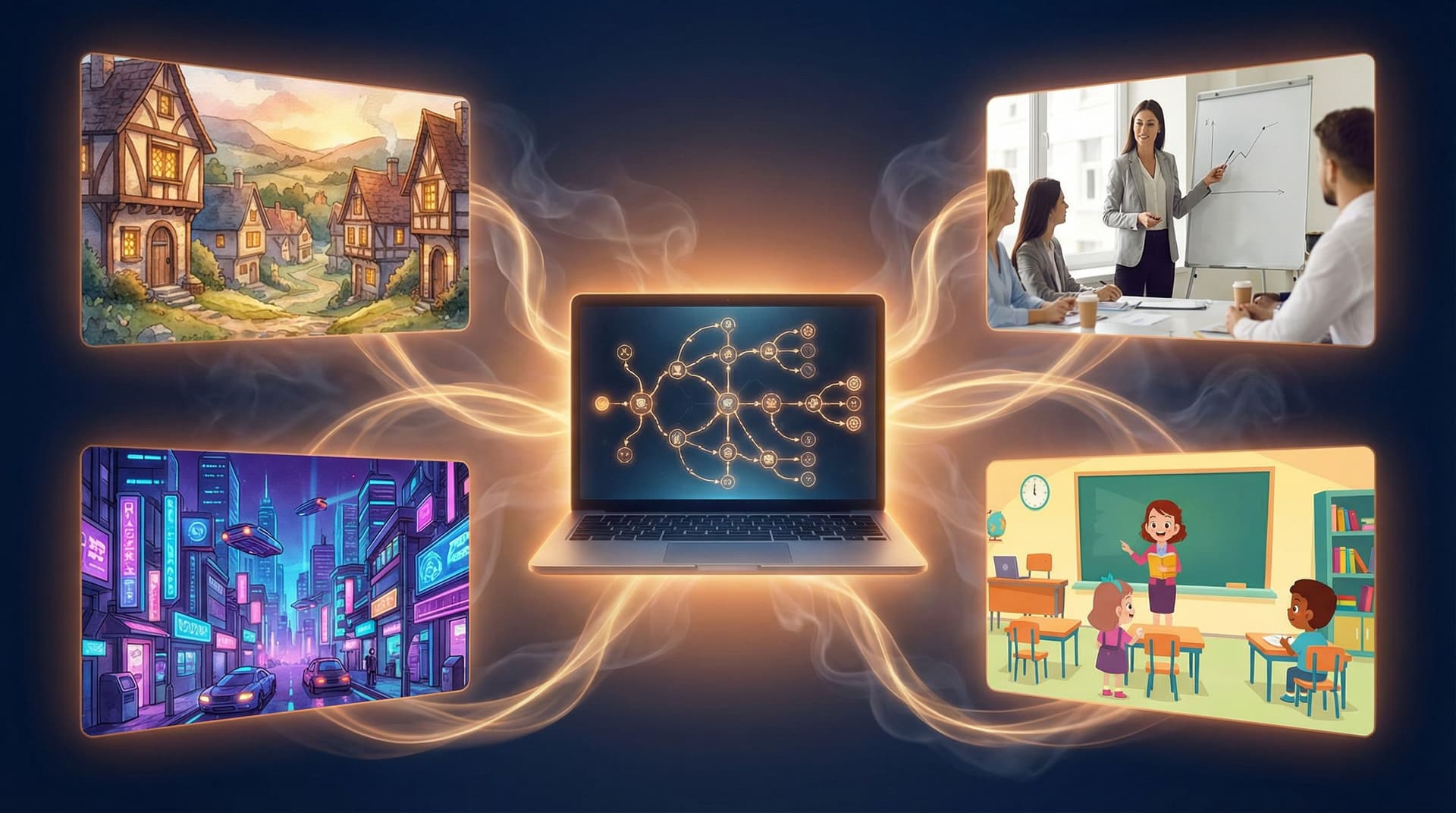
With Questas, you don’t need a dev team to build this. The visual, no‑code editor lets you:
- Map out short decision trees
- Attach AI-generated images or micro-videos to each scene
- Publish and share interactive scenarios that run in a browser
For busy minds, that combination—short, visual, choice-driven—is incredibly powerful.
Where Micro-Branching Scenarios Shine
Before we get tactical, it helps to know where these experiences have the most impact. A few high‑leverage use cases:
1. Just‑Before‑the‑Call Sales and Support Refreshers
Imagine a sales rep about to join a discovery call in a new industry. They have seven minutes.
They open a short Questas scenario:
- Scene 1: A simulated client opens the meeting. Two response options.
- Scene 2: Based on the choice, the client either shares more context or shuts down.
- Scene 3: A brief debrief highlights what worked and why.
In under 10 minutes, the rep has:
- Practiced realistic dialogue
- Seen the impact of a strong vs. weak opener
- Gotten a mental checklist to carry into the real call
2. Safety and Compliance “What Would You Do?” Moments
Compliance training often fails because it’s abstract: policies, definitions, and long documents. Micro-branching scenarios flip that.
You can build:
- Hazard-spotting stories where learners choose how to respond to a risky situation on a warehouse floor.
- Ethics dilemmas where a character faces subtle pressure to cut corners.
- Data privacy choices where learners decide what information they can share and with whom.
Each path can be short—3–6 scenes—but emotionally charged enough that the correct behavior is easier to remember later.
3. Product Walkthroughs and Feature Adoption
If you’ve read our guide on turning documentation into interactive journeys, you know how powerful this can be for onboarding. For a deeper dive, check out Interactive Onboarding 101: Turning User Manuals, FAQs, and Tutorials into Questas Journeys.
Micro-branching here might look like:
- A scenario where a user chooses how to configure a new feature.
- A path that adapts based on whether they’re a beginner, intermediate, or power user.
- Quick feedback and visuals showing the result of each decision.
4. Manager and Leadership Practice
Soft skills are notoriously hard to teach via slide decks. But they’re perfect for short, scenario-based practice:
- Giving difficult feedback
- Handling a missed deadline
- Responding to a conflict between teammates
Each micro-scenario can focus on a single skill and still feel rich, thanks to branching dialogue and expressive AI-generated character images.

Designing Micro-Learning Scenarios That Actually Fit in 5–10 Minutes
The biggest trap with micro-learning in Questas is overbuilding—suddenly your “quick scenario” has 40 nodes and three endings per branch.
Here’s a structure that keeps things tight and effective.
Step 1: Define a Single Moment of Truth
Ask yourself:
“What is one decision I want the learner to handle better in real life?”
Examples:
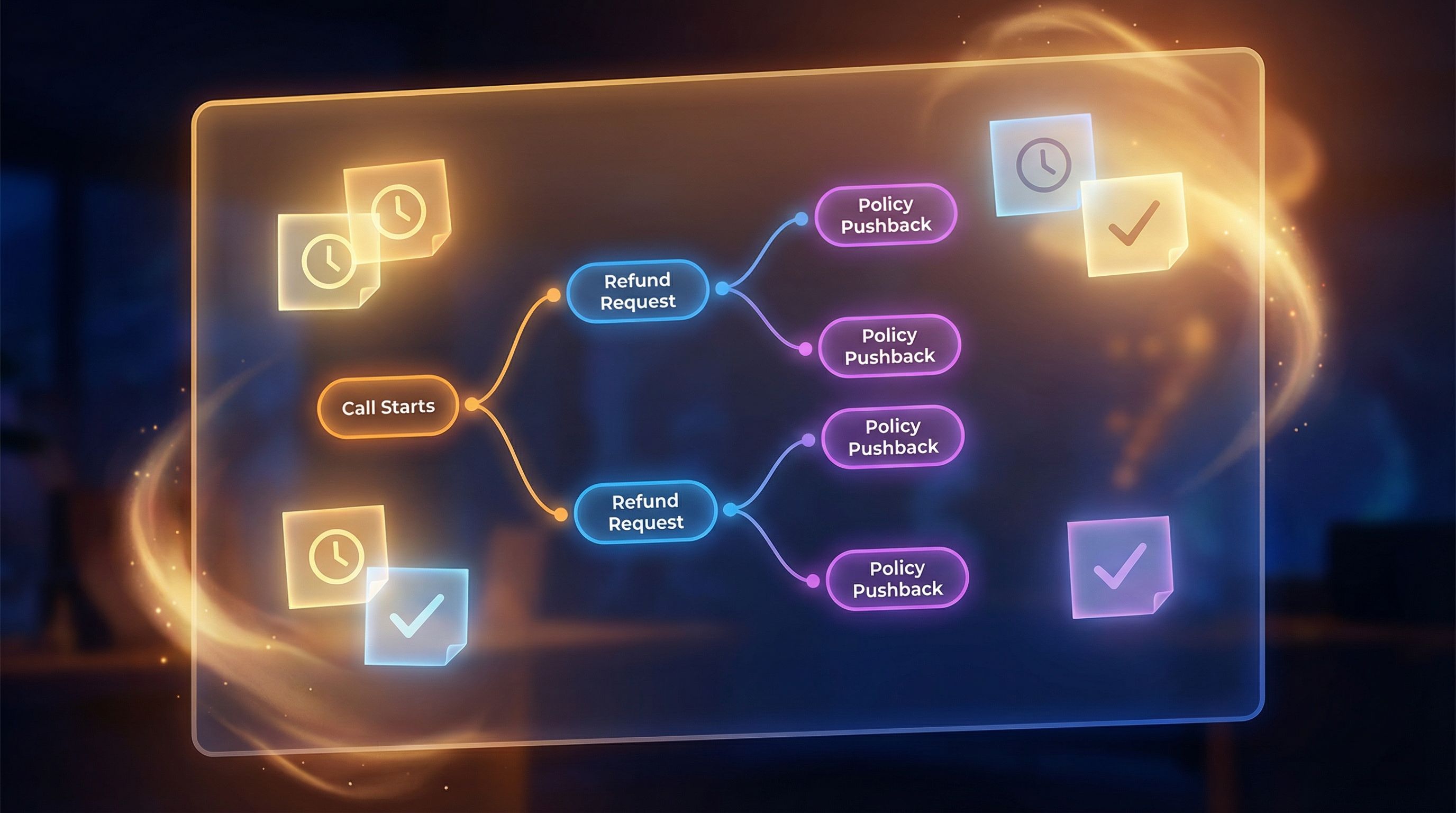
- “How should a support agent respond when a customer asks for a refund outside policy?”
- “What should a warehouse worker do when they notice a blocked emergency exit?”
- “How should a manager react when a direct report starts missing standups?”
This decision becomes the spine of your scenario. Everything else is context or consequence.
Checklist for a strong moment of truth:
- It happens regularly (not once a year).
- It has clear consequences (good or bad).
- It’s slightly uncomfortable or ambiguous.
- It’s simple enough to explain in 1–2 paragraphs.
Step 2: Limit Your Structure on Purpose
Branching can spiral quickly. For micro-learning, try these constraints:
- Depth: 3–5 scenes from start to finish
- Choices per scene: 2–3 options
- Endings: 2–4 distinct outcomes (e.g., ideal, acceptable, poor, critical failure)
In Questas, this might look like:
- Setup scene – Establish context, goal, and stakes.
- First choice – Learner picks an approach.
- Consequence scene – Show immediate reaction.
- Second choice – Refine or recover.
- Outcome + debrief – Summarize what happened and why.
You can always expand later, but starting small keeps the experience snackable.
Step 3: Write Choices That Reflect Real Tradeoffs
Avoid choices that are obviously right or wrong. Instead, mirror the real tensions learners face.
For example, in a customer service scenario:
- Too blunt but efficient – “We can’t do that; it’s against our policy.”
- Overly accommodating – “Sure, I’ll make an exception and refund everything.”
- Balanced, policy-aligned empathy – “I can’t offer a full refund, but here’s what I can do…”
Each option should:
- Be something an actual person might choose
- Lead to a distinct reaction in the next scene
- Reveal a principle when you debrief (e.g., empathy + policy alignment)
If you want to go deeper on making choices emotionally meaningful, see Designing Meaningful Choices: How to Turn Simple Branches into Emotional Turning Points in Questas.
Step 4: Keep Scenes Short, Visual, and Scannable
Busy learners skim. Design for that:
- Use tight paragraphs (2–4 sentences each).
- Bold key phrases that signal what matters.
- Break dialogue into lines so it feels like a script, not a wall of text.
Example scene structure:
- 1–2 sentences of narration (“You’re on a call with…”)
- 2–4 lines of dialogue
- A relevant AI-generated image or micro-video
- 2–3 labeled buttons for choices
The AI visuals inside Questas aren’t just decoration—they anchor memory. Learners remember the scene where the customer looked frustrated in the dimly lit café, not just “Module 3, Lesson 2.” For help making those visuals cohesive and on‑brand, you can dive into AI Visual Styles 101: Matching Your Questas Imagery to Genre, Tone, and Audience.
Step 5: Build Debriefs into the Story, Not Just a Quiz at the End
Micro-learning works best when reflection is immediate.
Instead of a separate “assessment,” embed learning moments inside the branches:
- After a poor choice, a character might say, “I’m disappointed. Here’s what I expected…”
- After a strong choice, the narrator can highlight, “You balanced empathy with policy. That’s the standard we’re aiming for.”
You can still end with a quick recap:
- What you did well
- What could go wrong in real life
- A simple mnemonic or checklist to carry forward
Using Just‑in‑Time Triggers: Right Story, Right Moment
Micro-branching really shines when it’s surfaced exactly when someone needs it. While implementation details depend on your stack, here are patterns that work well:
1. Link from Your Existing Tools
You don’t have to rebuild your entire ecosystem around Questas. Instead, drop links where people already work:
- CRM or help desk: Short scenarios linked next to macros or playbooks.
- LMS: Use Questas scenarios as pre-work or refreshers before longer courses.
- Internal wiki: Embed links in SOP pages—“Want to practice this? Run the 5‑minute scenario.”
2. Time-Based Nudges
For recurring workflows, consider:
- A monthly reminder email with a “Scenario of the Month.”
- A calendar invite that links to a 7‑minute practice before quarterly reviews.
Because micro-scenarios are short, people are more willing to click and complete them on the spot.
3. Role- or Level-Specific Paths
Within a single Questas project, you can:
- Start with a role selection scene (e.g., “I’m a new manager” vs. “I’m a senior leader”).
- Route each role to slightly different versions of the same scenario.
That way, a 5‑minute experience feels tailored without requiring separate builds for each audience.
Visual and Structural Tips for Busy Learners
A few practical design moves that make your micro-scenarios feel polished and frictionless:
Make the First Screen Do a Lot of Work
Your opening scene should answer three questions fast:
- What is this about?
- How long will it take?
- Why should I care right now?
Consider including:
- A one-sentence hook: “You have five minutes before a high‑stakes client call.”
- An estimated time: “This scenario takes ~6 minutes.”
- A clear payoff: “You’ll leave with three phrases to avoid—and what to say instead.”
Use Visual Consistency as a Cognitive Shortcut
Consistent visuals reduce mental load. Learners don’t have to re-interpret the style every scene; they can focus on the decision.
- Keep character designs consistent across branches.
- Use a stable color palette to signal your brand or department.
- Use similar framing (e.g., over‑the‑shoulder for calls, wide shot for warehouse scenes).
If you’re not sure where to start, From Moodboard to Mission: Designing Visual Style Guides for Consistent Questas Adventures walks through building a style guide that you can reuse across multiple micro-scenarios.
Design for Replay, Not Just One‑and‑Done
Even short scenarios can reward replay:
- Add alternative outcomes that reveal different insights.
- Include hidden “expert” paths that only unlock if a learner makes especially strong choices.
- Offer a branch map at the end so learners can see missed paths and jump back.
This doesn’t have to double your workload. Often, one or two extra branches are enough to make a 5‑minute experience feel rich.
A Simple Workflow for Building Your First Micro Scenario in Questas
If you’re ready to try this, here’s a straightforward path from idea to shareable experience.
-
Pick one high‑impact moment of truth.
- Talk to managers, support leads, or subject matter experts. Ask, “What decision do people keep getting wrong?”
-
Write a one‑page outline.
- Setup, first choice, consequence, second choice, outcomes.
-
Open Questas and block out scenes as nodes.
- Don’t worry about perfect text yet—just get the structure down.
-
Draft lean scene text and choices.
- Aim for something a learner can read in under 30 seconds per scene.
-
Generate AI images or micro-video for key beats.
- Use consistent prompts based on your visual style guide.
-
Play through and time it.
- Adjust copy or trim branches until most paths land in the 5–10 minute window.
-
Pilot with 3–5 real learners.
- Ask: “Did this feel realistic?” “Was anything confusing?” “Would you actually use this before doing the real task?”
-
Iterate, then ship.
- Once you’ve refined one scenario, you’ll have a template for many more.
For deeper guidance on testing and iteration, Playtesting Your Questas Like a Game Designer: Scripts, Checklists, and What to Watch For is a great next step.
Bringing It All Together
Micro-learning and just‑in‑time training aren’t buzzwords—they’re a response to how people actually work and learn:
- They have limited attention.
- They need guidance at the moment of action.
- They remember stories and consequences more than bullet points and policy PDFs.
Branching scenarios built in Questas let you honor that reality:
- Short: 5–10 minutes, not 45.
- Situated: Decisions set in realistic contexts.
- Visual: AI-generated scenes that make moments memorable.
- Interactive: Choices and consequences that feel like rehearsal, not a test.
Design a handful of these, and you don’t just “add training.” You create a library of tiny, powerful experiences people can reach for exactly when they need them.
Ready to Build Your First Micro-Scenario?
You don’t need to overhaul your entire curriculum or training program.
Start with one moment of truth.
- Pick a decision your learners struggle with.
- Sketch a 3–5 scene branching outline.
- Open Questas, drop those scenes into the visual editor, and let AI help you bring them to life.
In an afternoon, you can go from “We should really improve training on this” to a playable, illustrated micro-scenario your team can use tomorrow.
Your learners are busy. Their time is fragmented. But their next decision still matters.
Give them a path to practice it—one short branch at a time.