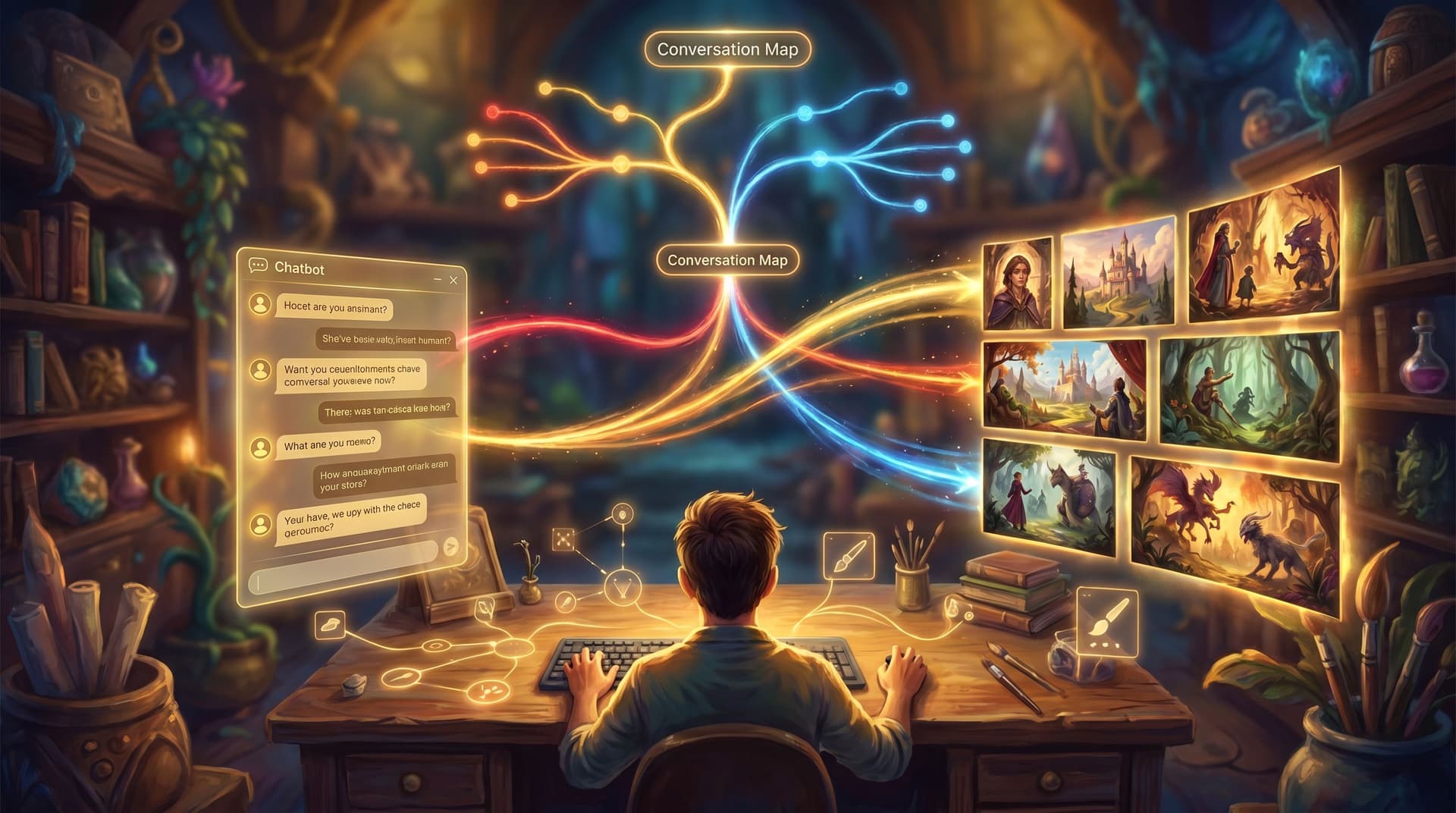
From Branch Map to Beat Sheet: Structuring Scene Pacing in Complex Questas Stories


Branching is easy. Good branching is hard.
When you first open Questas, it’s tempting to keep adding more nodes to your branch map—more choices, more routes, more endings. Very quickly, though, you hit a familiar problem:
- Some paths feel rushed while others drag.
- Key reveals land too early on one branch and way too late on another.
- Players report that “nothing happens for a while”… and then everything happens at once.
The missing layer is pacing.
This is where thinking in beats, not just branches, becomes your superpower. By moving from a raw branch map to a clear beat sheet, you can shape the emotional rhythm of your quest so that every route feels intentional, tense in the right places, and satisfying at the end.
In this post, we’ll walk through how to:
- Translate messy node graphs into clean story beats.
- Keep pacing consistent across wildly different paths.
- Use Questas’s visual editor and AI visuals to support pacing instead of fighting it.
- Stress-test your structure so complex stories still feel coherent.
Why Pacing Matters More in Branching Stories
Linear stories can get away with uneven pacing because everyone walks the same road. If chapter three drags, it drags for everyone—and you can fix it once.
In a branching quest, pacing problems multiply:
- Uneven tension: One player might hit the climax at scene 7, another at scene 15.
- Choice fatigue: Too many low-stakes decisions in a row and players stop caring.
- Emotional whiplash: A quiet reflection scene might be followed by another quiet scene on one route, but a high-octane chase on another.
- Replay friction: If a second run means slogging through a slow early branch to reach new content, most people won’t bother.
Good pacing:
- Keeps stakes and curiosity rising, even when players wander.
- Gives breathing room after intense choices without losing momentum.
- Makes different routes feel equally “full”, even if they’re not the same length.
- Supports the kind of replayable designs we talked about in Designing Replay Value on Purpose.
The trick is to stop treating your branch map as the story and start treating it as infrastructure. The story lives in the beats that flow through it.
Step 1: Start with a Branch Map, Not a Script
If you’re using Questas, you’re already thinking visually: scenes as nodes, choices as connectors, endings as clusters. That’s your branch map—a structural overview of what can happen.
For complex stories, make sure your branch map answers three questions before you worry about pacing:
-
Where can the story end?
- Identify all endings (good, bad, ambiguous, secret).
- Group them by type of outcome (win/lose, survive/fail, align with X faction, etc.).
-
Where are the major turning points?
- Moments where information, allegiance, or stakes change significantly.
- Label them directly in your map (e.g.,
Reveal: CEO is the saboteur).
-
Where are the loops and shortcuts?
- Optional side scenes, soft-fail detours, or fast tracks to conclusions.
- These will matter a lot when you tune pacing.
If you’re coming from chatbot flows or decision trees, you’ve already got raw material. Our post on From Chatbot to Quest Guide digs into how to convert those linear-ish flows into richer, visual branches—an ideal precursor to the beat work we’re about to do.
Step 2: Translate Branches into a Beat Sheet
A beat is a discrete moment of change: a decision, a reveal, a reversal, a new question. It’s smaller than an act, bigger than a line of dialogue.
Your beat sheet is a list of these moments, usually written in simple, neutral language that doesn’t assume a specific route.
How to Build a Beat Sheet from Your Map
-
List your non‑negotiable beats
These are the moments that should exist in every satisfying route, even if they appear in different scenes:- Inciting choice – The player commits to the situation.
- First real consequence – A choice closes one door and opens another.
- Midpoint shift – New information reframes the goal or stakes.
- Crisis – The hardest trade‑off; no clean options.
- Climax – The biggest, most irreversible decision.
- Resolution – Emotional or practical fallout.
-
Map beats onto your existing scenes
Take a pass through your branch map and tag each scene with which beat(s) it contains. You might use labels likeBeat: MidpointorBeat: First Consequencedirectly in your node titles or notes. -
Notice where beats are missing or doubled
- Some branches will jump straight from setup to crisis.
- Others will have three “midpoints” in a row and no clear climax.
- Flag these for restructuring.
-
Write the beat sheet in plain language
Forget specific locations or characters for a moment. Write a linear-looking list of beats that describes the ideal emotional journey:- Player accepts the mission despite a clear red flag.
- Player sees a small consequence of their approach.
- New information reveals the mission is compromised.
- Player must choose who to trust under time pressure.
- Their choice leads to a showdown with the true antagonist.
- Aftermath shows how the world changes.
This beat sheet becomes your pacing baseline. Every major route should hit these beats in roughly this order, even if they reach them in different ways.

Step 3: Align Scene Length and Intensity with Beat Type
Not all beats deserve the same amount of screen time.
In Questas, it’s easy to let every scene balloon into a mini‑episode: long text, multiple images, three or four choices. That’s exhausting for players and terrible for pacing.
A simple rule of thumb: the bigger the beat, the tighter the scene.
Match Scene Scope to Beat Function
-
Setup beats (establishing context, meeting characters)
- Slightly longer scenes are fine here.
- 2–3 short choices that help players define their role, tone, or approach.
- One strong establishing visual.
-
Decision beats (first consequence, midpoint, crisis, climax)
- Keep the pre‑choice text lean—focus on stakes and options.
- Limit choices to 2–3, each clearly distinct.
- Use visuals to communicate mood and risk, not extra exposition.
-
Reflection beats (aftermath, quiet character moments)
- Short, emotionally focused scenes.
- Often 1–2 choices or even a single, non‑branching scene that lets the moment land.
Use AI Visuals to Support, Not Slow, Pacing
Because Questas can generate images and video for every scene, there’s a temptation to do exactly that. Instead:
-
Reserve micro‑videos for major beats (midpoint, crisis, climax).
A 3–5 second clip can make a turning point feel weighty. -
Use simpler, static images for connective tissue scenes.
Reuse locations and character angles to keep cognitive load low. -
Echo visual motifs across branches.
A recurring symbol (the same hallway, a recurring city skyline, a particular UI panel) can anchor players even when the story routes diverge.
If you’re building a longer series, pairing this beat thinking with the visual systems approach in From Style Guide to Shot List will make your pacing feel consistent and your world feel coherent.
Step 4: Normalize Pacing Across Divergent Paths
Once you have a beat sheet and a rough sense of scene scope, it’s time to make sure no path feels like the “cheap” or “bloated” version of your story.
Count Beats, Not Just Scenes
Instead of worrying whether every route has exactly 12 scenes, look at how many meaningful beats each route contains.
For each major route:
- Trace a path from start to ending.
- List the beats the player hits along the way.
- Ask:
- Do they hit all the non‑negotiable beats?
- Are there long stretches (3+ scenes) without a real beat?
- Does the climax feel like the highest‑stakes beat they’ve seen, or is there a bigger one earlier?
If a path feels thin:
- Add a mini‑beat: a small but real consequence, a reveal, or a shift in who holds power.
- Fold two low‑impact scenes into one tighter, punchier moment.
If a path feels bloated:
- Merge or skip redundant beats that don’t add new information or emotional texture.
- Turn some choices into cosmetic variations (different flavor, same underlying beat) instead of full branches.
Use “Beat Parity” at Key Milestones
Pick a few milestones in your story—say, “end of act 1,” “midpoint,” “pre‑climax”—and aim for beat parity across routes:
-
By the end of act 1, most players should have:
- Met the core cast.
- Made at least one choice with visible consequences.
- Seen a hint that things are not what they seem.
-
By the midpoint, most players should have:
- Learned a major piece of hidden information.
- Committed to a side, approach, or philosophy.
These don’t need to be the same scenes, but they should be the same kind of beats.
Step 5: Design Soft Fails and Detours as Pacing Tools
Soft fails—choices that go badly without ending the story—are a powerful way to control pacing.
Instead of treating them as afterthoughts, design them as intentional rhythm changes:
- A soft fail can slow the tempo after a high‑intensity sequence, giving players time to regroup.
- Or it can tighten the screws by narrowing options and increasing urgency.
When you build a soft‑fail detour:
-
Decide the beat function.
Is this a mini‑crisis, a reflection, a setup for the real crisis? -
Keep it short.
1–2 scenes is often enough: the consequence lands, a quick recovery, then rejoin the main flow. -
Return to the main beat track.
Even if the player’s position is worse, they should re‑enter near the same beat as players who didn’t fail (e.g., both groups arrive at the midpoint, but one arrives with fewer allies).
For a deeper dive into designing soft fails that keep stories flexible without becoming punishing, check out Designing ‘Soft Fails’ in Questas.

Step 6: Playtest Pacing with Intentional Runs
You can’t feel pacing from a diagram. You have to play it.
When you test your Questas build, don’t just click randomly. Run intentional pacing tests:
1. The “Main Route” Run
- Follow what you expect to be the most common or “default” path.
- Time how long it takes to reach:
- First visible consequence.
- Midpoint shift.
- Climax.
- Ask:
- Did any section feel like filler?
- Did you ever want to stop before the ending?
2. The “Worst‑Case Wanderer” Run
- Deliberately choose:
- Every side path.
- Every soft fail.
- Every “I don’t know” or hesitant option.
- Notice:
- Do you get stuck in loops?
- Does the story still move toward the core beats, or does it feel like you’re orbiting them forever?
3. The “Speedrunner” Run
- Always pick the option that seems most direct or aggressive.
- See how quickly you can reach an ending.
- Check:
- Is the climax still emotionally earned, or does it feel abrupt?
- Are any critical beats skipped entirely?
Document what you find, then adjust:
- Add or remove beats.
- Tighten or expand scenes.
- Re‑route soft fails to rejoin the main beat track sooner or later.
This is also where the 5‑scene story lab approach from The 5-Scene Story Lab can help. Before committing to a huge build, prototype a mini version of your beat structure in just a handful of scenes and test how the pacing feels.
Step 7: Use Data and Feedback to Refine Rhythm
Once your quest is live, pacing becomes a living system.
If you’re sharing Questas builds with learners, players, or stakeholders, pay attention to:
- Drop‑off points: Where do most players quit? That’s a pacing signal.
- Choice distribution: Are certain options almost never picked? They might be poorly framed or appear at the wrong tempo.
- Qualitative feedback: Do people say “it dragged in the middle,” “I felt rushed,” or “I wish I had more time with X character”?
Treat your beat sheet as a versioned document:
- Update it when you add new branches or endings.
- Note where you’ve intentionally shifted beats for specific audiences (e.g., faster pacing for sales practice, slower for reflective leadership sims).
Over time, you’ll develop a personal sense of rhythm for different use cases:
- Training simulations: More frequent decision beats, shorter reflection beats.
- Narrative fiction: Longer setup and reflection beats, but sharper, fewer major crises.
- Playable portfolios or case studies: Clear, spaced-out beats that highlight your decisions and outcomes—see Playable Portfolios for inspiration.
Putting It All Together
Structuring scene pacing in complex Questas stories isn’t about making every route identical. It’s about giving every route a coherent emotional arc.
To recap the journey from branch map to beat sheet:
-
Clarify structure with a branch map.
Know your endings, turning points, and loops. -
Define a universal beat sheet.
List the key emotional and narrative beats that make a satisfying run. -
Match scene scope to beat type.
Tighten big moments, let setup and reflection breathe. -
Normalize pacing across paths.
Aim for beat parity at key milestones instead of equal scene counts. -
Design soft fails as rhythm tools.
Use them to bend the story, not break it. -
Playtest with purpose.
Run main, wanderer, and speedrunner paths to feel the rhythm. -
Iterate with feedback.
Treat your beat sheet as a living blueprint you refine over time.
When you do this, your complex stories stop feeling like a tangle of “what ifs” and start feeling like a well‑conducted piece of music: different instruments, different melodies, but a shared tempo that carries players all the way through.
Your Next Step
You don’t need to rebuild your entire quest library to benefit from this approach. Pick one project:
- A draft quest you’ve been meaning to finish.
- A chatbot flow you’d like to upgrade into a playable experience.
- A training or storytelling idea you sketched after reading From Idea to Interactive.
Then:
- Sketch a simple branch map (or open your existing one in Questas).
- Write a 6–8 beat sheet describing the emotional journey you want.
- Tag each scene with its beat and adjust lengths to match.
- Run at least one intentional playtest.
If you haven’t tried building on Questas yet, this is a perfect framing for your first experiment: don’t just add branches—shape beats. Your players will feel the difference, even if they never see your maps or sheets.
Adventure awaits; now it’s your turn to set the rhythm.