From Slide Deck to Story Deck: Turning Investor Pitches into Playable Questas Walkthroughs


Investor decks are supposed to be storytelling tools. In practice, most of them are compressed spreadsheets with a cover slide.
Investors skim them in under four minutes on average before deciding whether to engage further. Multiple recent analyses of thousands of decks put the typical review window between 2–4 minutes and the sweet spot at 10–15 slides. That’s not a lot of time to:
- Explain a complex product
- Build trust in your team
- Prove there’s a real market
- Make the “why now” feel obvious
If your deck only works when you are in the room narrating every slide, it’s not doing its real job: selling the story when you’re not there.
That’s where turning your investor pitch into a playable walkthrough comes in.
With a platform like Questas, you can transform your static slides into an interactive story investors can step inside:
- They choose which persona they are (solo angel, sector-focused VC, strategic partner).
- They follow the paths that match their concerns (market risk, product risk, team risk).
- They see visuals, examples, and outcomes tailored to their choices.
Instead of a PDF trying to do everything for everyone, you give each investor a guided path through your strongest arguments.
Why Turn a Pitch Deck into a Playable Story?
Founders already talk about “telling a story” in a pitch. Turning that story into a branching, interactive experience isn’t just a gimmick; it directly supports how investors evaluate opportunities.
1. You Design for the Way Investors Actually Read
Data from tools that track deck engagement shows a consistent pattern:
- Most investors don’t read linearly. They jump to traction, financials, or team.
- Time per slide is tiny—often 10–20 seconds.
- If they reach the early “hook” slides, they’re much more likely to finish the deck.
A playable walkthrough mirrors this behavior instead of fighting it:
- Let them jump straight into what they care about most (e.g., “Show me traction scenarios”).
- Offer optional branches for deeper dives instead of cluttering core slides.
- Use AI-generated visuals and short video snippets to convey complexity quickly.
2. You Turn Abstract Claims into Concrete Experiences
“Interactive demos” and product tours routinely outperform static explainers on engagement and conversion. Benchmarks from B2B demo platforms show:
- 2–3x higher engagement compared to traditional videos
- Significant lifts in conversion to leads, trials, or meetings when prospects can try rather than just watch
Your pitch is, in many ways, a demo of your company. A playable Questas walkthrough lets investors:
- Walk through a day-in-the-life of your ideal customer
- See before/after states as they make choices
- Explore what-if paths around pricing, go-to-market, or expansion
That makes your “we reduce churn by 30%” claim feel less like a slide and more like a scenario they’ve personally tested.
3. You Signal Craft, Clarity, and Founder-Market Fit
A strong interactive walkthrough tells investors three things immediately:
- You can communicate clearly under constraints.
- You understand your buyer’s journey and objections.
- You’re comfortable with experimentation and product thinking.
Those are exactly the qualities investors look for—often more than a single metric or feature.
If you’re curious how creators use branching stories in other high-stakes contexts, check out how teams design sales objection rehearsals in Branching Narratives for Sales Teams: Using Questas to Rehearse Objections, Negotiations, and Closing Moves.
Choosing the Right Format for Your Story Deck
You don’t need to replace your slide deck entirely. Think of a Questas story deck as a companion artifact that:
- Lives as a link in your follow-up email
- Embeds on your Notion data room or deal page
- Acts as a self-serve explainer for partners and internal champions
Common formats that work well:
-
Investor “Choose Your Own Lens” Tour
Investors pick what they care about first:- “I’m most concerned about market risk.”
- “Show me traction and unit economics.”
- “Walk me through the product from a user’s POV.”
-
Customer Journey Simulation
The investor plays as your buyer:- They choose their current pain points.
- They compare your solution vs. status quo.
- They see the timeline to value and expansion.
-
Round Walkthrough
Focused on the raise itself:- Why this round, why this amount, why now
- Use of funds paths (e.g., “What if we prioritize sales vs. R&D?”)
- Milestones and risk-reduction scenarios
For a deeper dive into using branching stories for go-to-market and product marketing, see Branching Narratives for Product Marketing: Let Prospects ‘Test-Drive’ Your Value Prop in Questas.

Step 1: Translate Your Deck into a Narrative Spine
Before you open Questas, you need a clear story spine—the minimal sequence of beats an investor must understand.
Start by answering, in plain language:
-
Who is the hero?
- Your customer, not your company.
- What’s their world like before you exist?
-
What monster are they fighting?
- The core problem: inefficiency, risk, lost revenue, frustration.
- How do they cope today? (Spreadsheets, legacy tools, manual work.)
-
What magic sword do you give them?
- Your product, framed as a tool in their hands.
- What can they do now that they couldn’t before?
-
What proof do we see along the way?
- Traction, case studies, metrics.
- Social proof: logos, testimonials, pilots.
-
What future do they unlock if this works?
- Market size, expansion paths, long-term vision.
Write this out as 10–12 short scenes, each with:
- A clear goal (“Show how onboarding works in under 5 minutes”).
- A decision point (“Do we solve this with automation or services?”).
- A consequence that ties back to your metrics or moat.
If you’re new to structuring branching stories, Story First, Prompt Second: Designing Strong Questas Scenes Before You Touch an AI Tool walks through this planning phase in detail.
Step 2: Map Investor Choices Instead of Linear Slides
A strong story deck doesn’t branch randomly. It branches around real investor questions.
Identify Your Key Investor Personas
List 2–3 archetypes you’re pitching:
- Generalist seed fund partner — cares about team, market size, and early traction.
- Sector specialist — cares about product depth, differentiation, and regulatory risk.
- Strategic corporate investor — cares about integration, ecosystem fit, and upside for their core business.
For each persona, write 3–5 questions they’re likely to ask:
- “How does this scale beyond your first niche?”
- “Why can’t incumbents just build this?”
- “What happens if your main acquisition channel dries up?”
Each of these becomes a branching node in your Questas story.
Design Branches Around Curiosity, Not Complexity
When you build the flow in the visual editor:
- Keep a single main path that every investor sees.
- Add short, optional side-paths that:
- Answer a specific objection
- Show a deeper product view
- Explore an alternate scenario (e.g., enterprise vs. mid-market)
Think of your branches as “chapters with bonus scenes”, not a maze. An investor should never feel lost or punished for exploring.
Step 3: Use AI Visuals to Make Abstract Slides Tangible
Pitch decks are full of abstractions:
- TAM/SAM/SOM diagrams
- Funnel stages
- Architecture diagrams
- Competitive matrices
In a playable walkthrough, you can turn these into concrete, visual moments.
Practical Ideas for Visual Scenes
Inside Questas, use AI-generated images or short videos to:
- Show the customer’s environment before and after adoption.
- Visualize data flows as animated paths instead of static arrows.
- Represent risk and upside as branching paths in a landscape (e.g., safe but small valley vs. steep but rewarding mountain route).
- Depict team strengths through a “heist planning” or “mission control” metaphor where each co-founder’s role is clear.
Tips:
- Reuse visual motifs (same customer, same workspace) across branches so the world feels coherent.
- Use color and lighting to signal risk vs. reward (cooler tones for current pain, warmer for solved states).
- Keep text on visuals minimal; let the interactive copy do the explanatory work.
If you want more inspiration on using AI visuals to shape your storyworld, explore AI as Location Scout: Rapidly Prototyping Believable Worlds and Setpieces for Your Questas.
Step 4: Build the Walkthrough in Questas
Once your narrative spine and branches are sketched, it’s time to build.
Start with a Minimal Playable Loop
Resist the urge to overbuild. Aim for a 10–15 minute experience that:
-
Opens with a clear framing choice
Example: “How do you want to explore this company?”- As a customer
- As an investor focused on market
- As an investor focused on product
-
Guides them through 3–5 core scenes
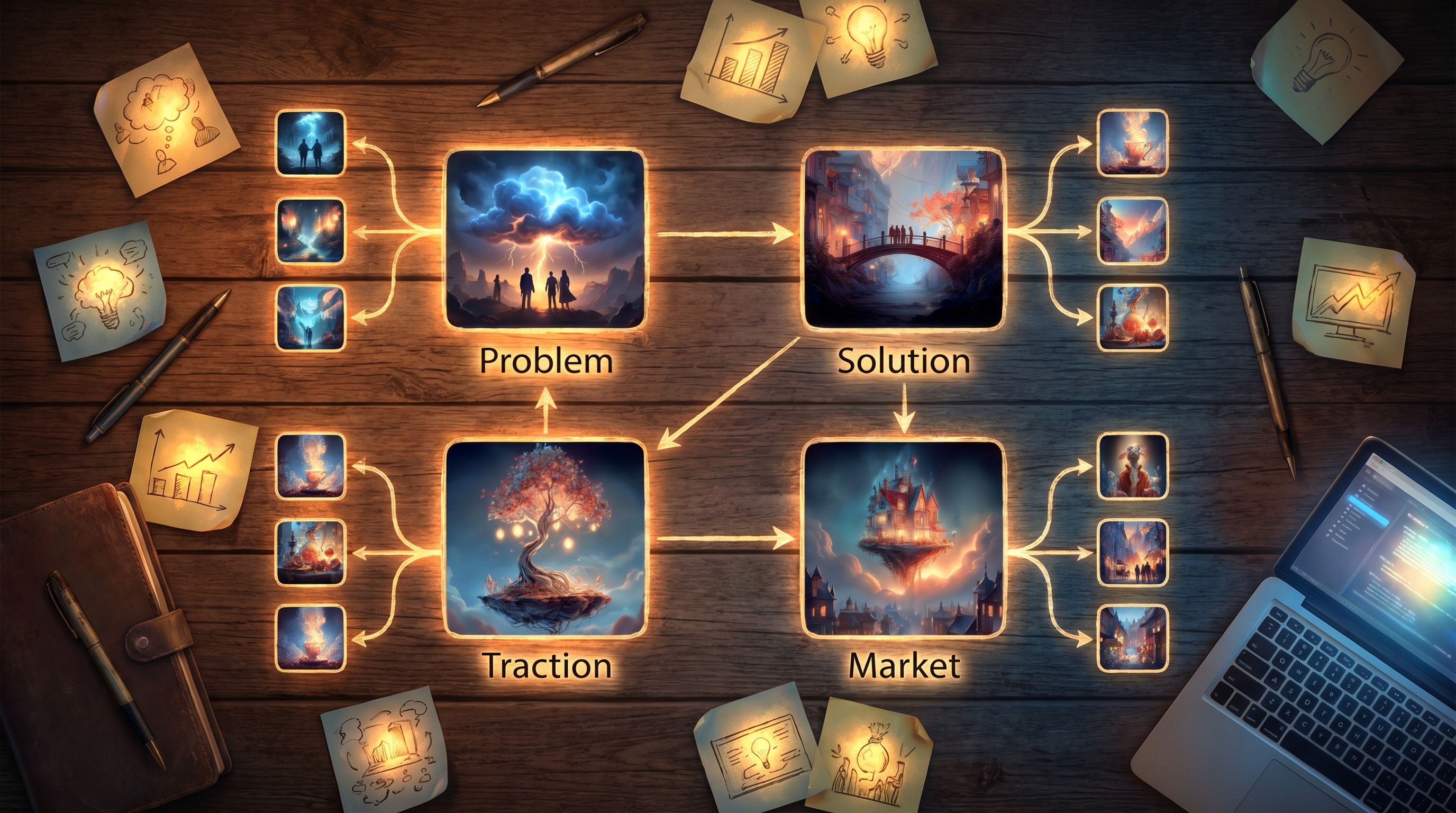
These should mirror your fundamental deck slides:- Problem → Solution → Traction → Market → The Ask
-
Offers 1–2 optional deep dives per scene
- “See a real customer story”
- “Explore our go-to-market in more detail”
- “Compare us to the status quo tools”
-
Ends with a crisp, actionable close
- “Book a 20-minute call”
- “Open our data room overview”
- “View the one-page summary PDF”
Use Questas Features Intentionally
Inside the editor:
- Use variables to track what an investor explores (e.g., which risks they care about) and tailor the final summary.
- Attach AI-generated images and short clips to key scenes to keep cognitive load low.
- Keep copy tight and scannable:
- 1–2 short paragraphs per scene
- Clear buttons with benefit-oriented labels (“See how this scales”, “Show proof from pilots”).
Step 5: Playtest with Friendly Investors and Advisors
Treat your story deck like a product feature: ship, observe, iterate.
What to Watch For
Ask a small group of:
- Existing angels
- Operator-advisors
- Founder peers who’ve raised from similar funds
Have them:
- Play through the Questas walkthrough without you on the call.
- Then hop on a short debrief.
Questions to ask:
- Where did you feel most engaged? Where did your attention dip?
- Which choices felt obvious or unnecessary?
- What questions did you still have at the end?
- If this were the only artifact you saw, would you:
- Take a first meeting?
- Share it with a partner?
- Ask for a full data room?
Iterate Like a Founder, Not a Designer
Use feedback to:
- Trim branches that don’t change decisions.
- Surface key proof points earlier when multiple testers say, “I only realized X at the end.”
- Add forked endings tailored to different investor types (e.g., “Summary for seed-stage generalist funds” vs. “Summary for strategic partners”).
If you’re short on time, you can even run a one-evening sprint to get a v1 built and tested—similar to the process outlined in The One-Evening Story Sprint: Shipping a Complete Questas Prototype from Blank Page to Playtest.
Step 6: Integrate the Story Deck into Your Fundraising Motion
A story deck is only useful if investors actually see it.
Where to Place Your Questas Link
-
In your intro email
“If you prefer to explore interactively, here’s a short walkthrough that lets you see the product and traction from a few angles.” -
On your Notion or DocSend overview page
Label it clearly: “Interactive overview (10–15 minutes)” so investors know what to expect. -
As a follow-up after a meeting
Especially powerful when a partner wants to bring your deal to their IC and needs a way to convey your story.
How to Talk About It in the Room
You don’t need to present the Questas story live every time. Instead, you can:
- Use 1–2 scenes as visual anchors during the call.
- Reference branches when answering questions:
“We actually built a short path that walks through that scenario; I’ll send you the link after this.”
This positions you as a founder who anticipates questions and respects investor time.
Wrapping Up: Why This Matters
Turning your investor pitch from a static slide deck into a playable Questas walkthrough isn’t about replacing fundamentals like market size, unit economics, or team slides.
It’s about:
- Meeting investors where they are: distracted, short on time, hungry for clarity.
- Letting them drive: choosing which risks to explore and which paths to follow.
- Making your story unforgettable: not just another PDF in a crowded inbox.
When investors can experience your customer journey, your traction, and your roadmap as a story they navigate themselves, your pitch stops being a document and starts being a world they’ve already stepped into.
Try It: Turn Your Deck into a Story Deck This Week
You don’t need a design agency or a dev team to try this.
Over the next 7 days, you could:
- Pick one key narrative from your deck (e.g., a flagship customer story).
- Break it into 5–7 scenes with 1–2 decision points.
- Open Questas and:
- Lay out the scenes in the visual editor.
- Generate a handful of supporting images.
- Add 2–3 branches around real investor questions.
- Share it with three trusted advisors and get blunt feedback.
- Ship v1 as a link in your next investor email.
If you’re raising—or planning to raise—this year, your future self will thank you for having a story deck that does more than sit in a folder.
Adventure awaits in your fundraising, too. Open up Questas, and let your next round be the first one investors can actually play through.