The Nonfiction Quest: Turning Reports, Whitepapers, and Think Pieces into Decision-Driven Questas

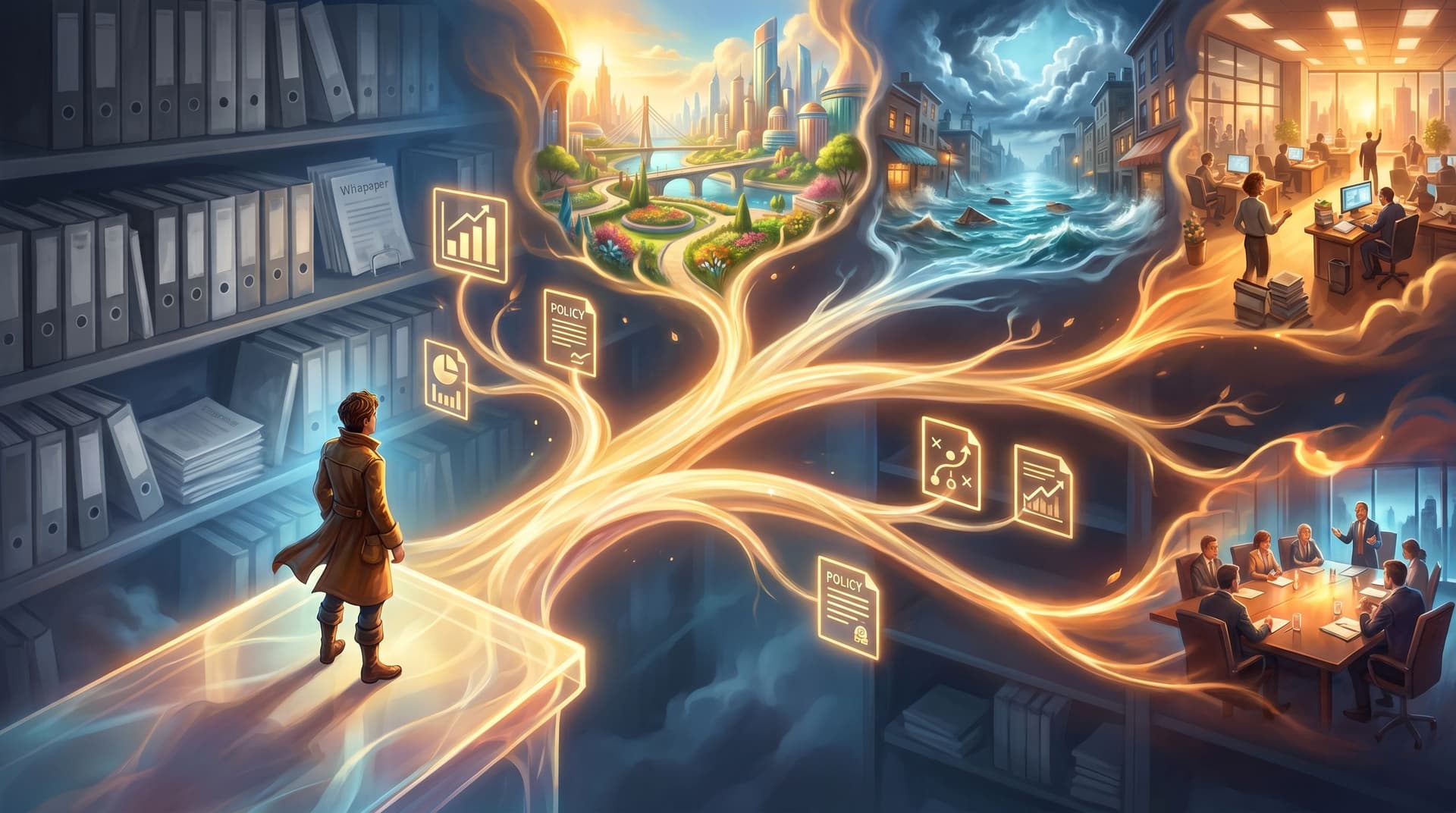
Long reports are fantastic at storing knowledge—and terrible at changing behavior.
Strategy decks, policy papers, research syntheses, “state of the industry” PDFs: they’re full of insight, nuance, and careful argument. But most people encounter them the same way they encounter any long document: skim, scroll, maybe bookmark…and then go back to doing what they were doing before.
What if those same documents didn’t just inform decisions, but walked people through them?
That’s the promise of the “nonfiction quest”: taking a report, whitepaper, or think piece and turning it into a decision-driven experience built in Questas—a visual, no‑code platform for creating interactive, choose‑your‑own‑adventure stories with AI‑generated images and video. Instead of reading about options, your audience plays through them.
In this guide, we’ll walk through how to:
- Identify which nonfiction deserves to become a quest.
- Translate dense analysis into crisp, consequential decisions.
- Use branching structure to surface trade‑offs, not trivia.
- Layer in visuals and feedback so people feel the implications of their choices.
- Ship a lean, testable build before you commit to a massive adaptation.
Along the way, we’ll connect to other Adventure Awaits! deep dives—like how to prototype a playable pilot and how to turn lectures into hands‑on scenarios.
Why Nonfiction Belongs in a Quest Format
Before we get tactical, it’s worth asking: why bother turning a whitepaper into a branching story at all?
1. Decisions, not downloads
Most nonfiction documents are about decisions:
- Which strategy should we pursue?
- Which policy should we adopt?
- Which technology should we invest in?
But they’re usually written as one-way information flows. The reader has to:
- Parse the context.
- Remember the options.
- Mentally simulate the consequences.
A nonfiction quest collapses those steps. You:
- Present a concrete situation.
- Force a decision at the moment of tension.
- Show what happens next.
The player doesn’t just agree with your argument; they experience why it matters.
2. Better retention and transfer
Interactive decision trees and guided wizards are already used in knowledge bases and support portals because they help people remember and apply complex processes more reliably than static docs.
A quest built in Questas borrows that same logic but wraps it in narrative and visuals. That combination—story + choice + consequence—dramatically improves:
- Recall: people remember the path they took.
- Transfer: they can apply the principles to new situations.
- Confidence: they’ve tested their judgment in a safe environment.
If you’re sitting on a report that’s supposed to change how people act, not just how they think, a quest is often a better vehicle than a PDF.
3. Clearer trade‑offs for complex topics
Whitepapers and think pieces excel at nuance. The downside: nuance can feel paralyzing.
Branching structure lets you:
- Isolate one trade‑off per decision point.
- Show how small choices cascade over time.
- Offer multiple “valid” paths that emphasize different values.
That’s especially powerful for:
- Policy scenarios (e.g., privacy vs. personalization).
- Strategy debates (e.g., growth vs. resilience).
- Ethics and risk (e.g., safety vs. speed).
If you’ve read our piece on designing failure on purpose, you already know how “bad” endings can become your best teaching tools. Nonfiction quests lean heavily on that idea.

Step 1: Choose the Right Source Document
Not every report wants to be a quest. Start with nonfiction that:
-
Centers on consequential choices
Look for sections titled things like “Recommendations,” “Options Analysis,” “Scenario Comparison,” or “Decision Framework.” These are your future decision nodes. -
Contains clear levers and variables
Great candidates usually:- Compare 2–4 main options.
- Outline key constraints (budget, time, risk tolerance, regulation).
- Describe different stakeholder perspectives.
-
Has a defined audience and context
A quest works best when you know who is deciding and where they are when the decision hits. For example:- A CISO responding to a ransomware incident.
- A product lead prioritizing features with limited engineering capacity.
- A policy team weighing climate adaptation strategies for a coastal city.
If your document is more like a glossary or pure reference manual, it might be better suited to a different pattern—like a single‑decision micro‑quest, as we explore in Minimal Choices, Max Impact.
Quick litmus test
If you can complete the sentence, “The core question of this report is whether to…”, you probably have a good nonfiction quest candidate.
Step 2: Extract the Decision Spine
Your report is full of detail. Your quest needs a spine—a minimal set of pivotal decisions that define the experience.
2.1 Find the “moments of no return”
Scan your source for moments where:
- A recommendation would meaningfully change course.
- A risk, if ignored, would compound over time.
- A stakeholder would say, “We can’t undo this easily.”
Turn each of those into a draft decision prompt. For example:
- “Do we launch the pilot in one region or three?”
- “Do we disclose the incident immediately or investigate quietly first?”
- “Do we centralize this function or let each business unit decide?”
Aim for 3–7 major decisions for a first build. You can always expand later.
2.2 Map decisions to outcomes, not paragraphs
For each decision, ask:
- What short‑term outcome does the report describe?
(e.g., cost spike, stakeholder backlash, faster data.) - What long‑term outcome does it suggest or imply?
(e.g., improved resilience, technical debt, reputational impact.)
Summarize those as outcome beats, not as text excerpts. These beats will become the scenes that follow each choice.
2.3 Keep the logic simple (at first)
It’s tempting to mirror every nuance of your document in your branch map. Resist.
For your first nonfiction quest:
- Cap yourself at 2–3 branches per decision.
- Merge branches back together where possible.
- Focus on teaching the shape of the decision, not modeling every edge case.
If you’re worried about oversimplifying, remember: you can always spin up a more complex version later. Our post on branching blueprints walks through patterns that scale gracefully once your core spine is solid.
Step 3: Cast the Player and Set the Stakes
Nonfiction often speaks in the third person: “organizations should,” “leaders must,” “research suggests.” A quest speaks directly to you.
3.1 Choose a concrete player role
Pick a role from your real audience, such as:
- “You are the Director of Sustainability for a regional utility.”
- “You are the Head of Product for a B2B SaaS company.”
- “You are a policy advisor in the Mayor’s office.”
Anchor the opening scene in a specific moment:
“It’s 8:15 a.m. on a Monday. Your phone buzzes: the overnight monitoring team has flagged a critical incident…”
Suddenly, the abstract risk section of your report becomes a visceral starting point.
3.2 Translate KPIs into in‑world resources
Most reports measure success with metrics: ROI, churn, emissions, satisfaction scores. In Questas, you can turn those into variables players can track:
- Budget (money, staff hours, political capital)
- Risk (compliance exposure, technical risk, safety risk)
- Impact (customer satisfaction, public trust, environmental benefit)
You don’t need precise real‑world numbers. You just need:
- A starting value (e.g., Budget = 100, Trust = 70).
- Clear rules for how each decision nudges them up or down.
This is where no‑code narrative systems shine. If you’ve experimented with timers and limited resources using our guide on no‑code narrative systems, you already know how to make variables feel meaningful.

Step 4: Turn Sections into Scenes
Now you have:
- A source document.
- A decision spine.
- A player role and key resources.
Time to build scenes.
4.1 Start with a minimal scene template
For each scene in Questas, draft:
-
Context
2–4 sentences that:- Ground the player in time and place.
- Remind them of their role and constraints.
-
Relevant insight from the report
Instead of pasting paragraphs, distill:- One key data point.
- One quote or perspective (from a stakeholder, expert, or case study).
- One tension (“speed vs. safety,” “short‑term vs. long‑term”).
-
A decision prompt
A clear, player‑facing question with 2–3 options. Each option should:- Be something a real decision‑maker might plausibly choose.
- Reflect a different value or risk profile.
-
Immediate feedback
After the player chooses, show:- What happens in the next hours/days.
- How key variables shift.
- How stakeholders react.
Then move to the next scene.
4.2 Use AI visuals to make abstractions tangible
One of the advantages of building in Questas is that you can attach AI‑generated images or short videos to each scene.
For nonfiction quests, use visuals to:
- Personify stakeholders (e.g., the skeptical CFO, the concerned community leader).
- Visualize environments (e.g., flooded streets, a server room, a public hearing).
- Represent abstract changes (e.g., a dashboard with warning lights, a protest crowd growing or shrinking).
You don’t need Hollywood‑level art direction; you need recognizable, consistent cues that help players remember where they are in the story. Our post on AI as your art director goes deep on keeping those visuals cohesive across a series.
Step 5: Design Consequences That Teach, Not Punish
If your source document includes risk scenarios or failure case studies, this is where they shine.
5.1 Build “learning losses” into your branches
Not every path should lead to success. Some should:
- Blow up in a contained way (e.g., budget overrun, reputational hit).
- Reveal a blind spot (e.g., an ignored stakeholder, an underestimated risk).
- Force a pivot (e.g., emergency board meeting, regulatory intervention).
When a player hits one of these endings:
- Name what went wrong in plain language.
- Connect it back to the report: “This is why the whitepaper warned against X.”
- Offer a replay hook: “What if you had prioritized Y earlier?”
This mirrors the approach from Designing Failure on Purpose: failure as a lens, not a lecture.
5.2 Allow for multiple “good” endings
Nonfiction often argues for a single best path. Reality is messier.
Consider designing:
-
Different flavors of success
One ending might maximize financial ROI but strain public trust; another might prioritize long‑term resilience over short‑term gain. -
Trade‑off comparisons
At the end, show a summary screen:- Budget remaining
- Risk level
- Stakeholder satisfaction
Let players decide which success they value most.
Step 6: Start Small with a Playable Pilot
You don’t need to adapt the entire report at once. In fact, you shouldn’t.
Follow a similar approach to what we recommend in From Premise to Playable Pilot:
- Pick one critical decision from the report.
- Build a micro‑quest around it:
- 1–2 setup scenes.
- 1 decision with 2–3 options.
- 2–4 short consequence scenes.
- Test with 5–10 people from your target audience:
- Ask them to think aloud as they play.
- Note where they hesitate or feel confused.
- Ask what surprised them about the outcomes.
Use that feedback to refine:
- The clarity of your decision prompts.
- The salience of your consequences.
- The pacing of your scenes.
Once the pilot feels sharp and engaging, extend the spine—add earlier or later decisions, deepen branches, or layer in more variables.
Step 7: Ship, Share, and Measure Real Decisions
A nonfiction quest is more than a cool format; it’s a decision lab.
When you publish your quest built with Questas:
-
Embed it where the original report lives
Link it from the PDF, host it alongside the whitepaper, or feature it in your internal portal. -
Use it as a workshop tool
Run live sessions where teams:- Play through the quest individually.
- Compare paths and outcomes.
- Reflect on how their real‑world constraints differ.
-
Collect structured insights
Track which paths people choose most often. Use that data to:- Identify common blind spots.
- See where recommendations are hard to follow in practice.
- Refine future reports around the decisions people actually struggle with.
Over time, your nonfiction library stops being a graveyard of PDFs and becomes a living set of decision experiences.
Bringing It All Together
Turning reports, whitepapers, and think pieces into decision‑driven quests is about more than format. It’s about aligning your nonfiction with what it was always meant to do: help real people make better choices.
You:
- Choose the right source—documents with clear decisions and stakes.
- Extract a decision spine instead of trying to adapt every paragraph.
- Cast the player in a specific role with concrete constraints.
- Translate sections into scenes with context, insight, and a sharp prompt.
- Design consequences that reveal trade‑offs and celebrate multiple valid outcomes.
- Pilot small before expanding into a full adaptation.
- Measure and discuss what people actually choose.
Do that, and your nonfiction stops gathering dust. It starts shaping behavior.
Your Next Move
If you’re sitting on a report, whitepaper, or think piece that deserves better than a one‑time skim, this is your moment.
- Pick one document you wish more people truly engaged with.
- Write down the single most important decision it’s trying to influence.
- Open Questas and build a tiny, four‑scene quest around that decision.
You don’t need to be a game designer. You don’t need to code. You just need to be willing to let your ideas be played, not just read.
Adventure awaits—in your nonfiction, too.