Micro-Video, Macro Impact: Using AI-Generated Video Moments to Punctuate Key Choices in Your Questas


Interactive stories live and die on their choices. A single decision point can be thrilling, confusing, or forgettable depending on how you frame it. One of the most powerful ways to make those moments land is with tiny, well-placed bursts of motion—micro-videos that punctuate key branches.
On a platform like Questas, where you’re already combining branching narratives with AI-generated images and video in a no‑code editor, those micro-moments can transform a good story into a sticky, replayable experience.
This post is about how to design and use short AI-generated video beats—3 to 10 seconds long—to:
- Highlight pivotal choices
- Clarify consequences before and after a decision
- Anchor emotion and tone
- Make your story feel more like a living world than a slideshow
We’ll walk through where to place micro-videos, how to script and prompt them, and how to keep them lightweight enough that they enhance your Questas instead of overwhelming them.
Why Micro-Video Matters at Choice Points
You don’t need a full cinematic cutscene to make a decision feel important. In fact, shorter is usually better.
Micro-video—very short clips designed around a single emotional or narrative beat—works especially well in branching stories because:
- Motion draws focus. A bit of movement naturally pulls the player’s eye to the moment that matters.
- Emotion lands faster. A character’s expression changing, a door slowly creaking open, a warning light starting to flash—these are emotions in motion.
- Consequences feel tangible. Showing a quick glimpse of what might happen (or what just happened) makes choices feel less abstract and more real.
- They’re cheap to iterate. With AI-generated video, you can test multiple versions of a 5-second clip in the time it once took to render a single static frame.
In Questas, your branching structure already carries a lot of weight. Micro-videos aren’t there to replace that structure—they’re there to:
- Mark the thresholds (the big choices)
- Smooth the transitions (the jump from one scene to another)
- Reinforce the stakes (why this path matters)
If you’ve read our post on AI-First Worldbuilding: Letting Images, Not Outlines, Lead Your Next Interactive Quest, you’ve seen how visuals can pull story ideas out of you. Micro-video is the same principle, applied to moments instead of worlds.
Where Micro-Video Has the Biggest Payoff
Not every scene needs motion. In fact, overusing video can flatten your story’s rhythm. The magic comes from contrast—quiet stretches of text and still images, punctuated by a few well-chosen bursts of movement.
Here are five high-impact places to use micro-video in your Questas:
1. The First Fork in the Road
Your first major choice is where players decide whether this story is worth their attention. A micro-video here can:
- Establish tone (whimsical, tense, mysterious, grounded)
- Introduce your core conflict in motion
- Signal that this is more than a static quiz or slideshow
Example:
- A 4-second clip of a storm rolling in over a small harbor town as sirens begin to wail.
- The video loops behind the question: “Do you stay to help secure the boats, or rush inland to warn your family?”
2. High-Stakes Decisions
Any time a choice meaningfully changes the story’s direction, consider adding a micro-video that:
- Shows the situation escalating (alarms, crowds, environmental hazards)
- Zooms in on a character’s reaction
- Emphasizes a ticking clock (countdown, closing doors, departing train)
This is especially powerful in training, sales, and safety scenarios, where you want people to feel the pressure without real-world risk—very similar to how we approach scenario design in Branching Narratives for Health and Safety: Turning Procedures and Protocols into Rehearsable Questas Scenarios.
3. Reveal Moments and Twists
When something surprising happens—a betrayal, a reveal, a hidden door—you can:
- Cut to a 3-second reaction shot
- Show the environment transforming (lights going out, walls shifting)
- Use motion to visually “underline” the twist
4. Consequence Summaries
After a choice, a micro-video can quickly summarize the immediate consequence before you branch into detailed text and follow-up scenes.
Example:
- You choose to ignore a safety protocol.
- A 5-second clip shows a minor accident: a spill, a near-miss, a machine jamming.
- The next scene picks up with the debrief, investigation, or fallout.
5. On-Ramps to New Arcs
When a choice unlocks a new arc—a faction, location, or story thread—a micro-video can serve as a mini “opening credits” for that branch.
- Short establishing shot of the rebel base you just discovered.
- Quick montage of the boardroom you’re about to pitch in.
- Aerial view of the museum wing you’ve just entered, echoing ideas from Interactive Museum Guides: Turning Exhibits, Tours, and Timelines into Location-Based Questas.
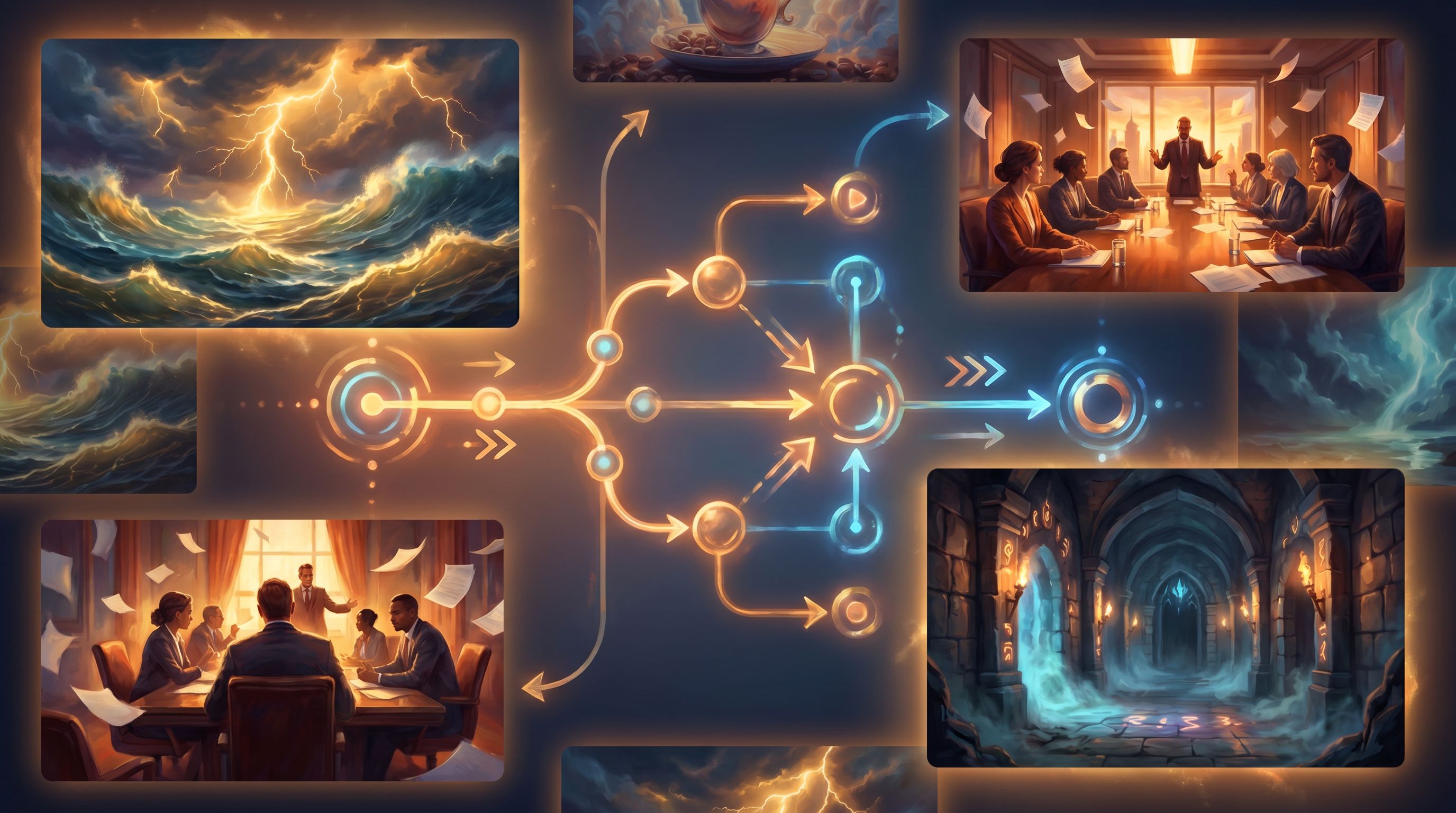
Designing Micro-Video Moments Before You Touch an AI Tool
The temptation with AI video is to start throwing prompts at the model and see what comes out. That’s fun—but it’s also how you end up with beautiful clips that don’t actually do anything for your story.
A better approach is to borrow from the "story first" mindset we explored in Story First, Prompt Second: Designing Strong Questas Scenes Before You Touch an AI Tool.
For each micro-video you plan to add to your Questas, answer three questions first:
- What decision is this video supporting?
- Is it about choosing between two strategies, two characters, two locations?
- What emotion should the player feel at this moment?
- Urgency, curiosity, dread, triumph, regret?
- What single visual beat would best express that emotion?
- A hand hovering over a red button.
- A door slowly opening to darkness.
- A crowd turning to look at you.
Once you’ve answered those, you can write a much tighter prompt and keep your clip under 10 seconds without losing impact.
A Simple Micro-Video Design Template
For each key choice, sketch this in your notes or your Questas planning doc:
- Choice ID: e.g., "C-3: Confront the client vs. escalate to manager"
- Narrative purpose: Player chooses between direct confrontation and escalation.
- Emotion target: Tension + responsibility.
- Micro-video beat: Close-up of the client’s unreadable expression as they scan an email on a laptop, their eyes flicking up to the camera.
- Placement: Plays before the player chooses.
- Duration: 4–6 seconds, looping.
Design three or four of these for your most important branches. You can always add more later if they prove effective.
Prompting AI for Short, Focused Clips
Once you know the narrative job each micro-video needs to do, you can start prompting your AI video tool (or the video generation inside Questas, if you’re using built-in capabilities).
1. Start with Framing and Camera Movement
For micro-video, how we see something matters as much as what we see.
Include details like:
- Camera angle: over-the-shoulder, close-up, wide establishing shot
- Movement: slow push-in, handheld shake, static camera
- Looping behavior: seamless loop of storm clouds rolling, subtle loop of neon sign flickering
Prompt pattern:
Close-up shot, static camera, of a rusted metal door in a dim corridor. The door slowly creaks open a few inches, revealing only darkness inside. Dust motes drift in the beam of a single overhead light. Moody, tense, cinematic.
2. Limit the Action to One Beat
Avoid prompts that describe multiple sequential events. Micro-video works best when one thing happens, clearly and slowly enough to read.
Instead of:
The character reads a message, looks shocked, stands up, and runs out of the room.
Try:
Medium shot of a character reading a message on their phone, their eyes widening in shock as the screen’s glow reflects on their face. They don’t move, just breathe faster.
3. Match Visual Style to Your Story World
If you’re already using AI images in your Questas, keep your video prompts aligned with that style:
- Mention the same era, palette, and level of realism.
- Reference recurring characters (“same middle-aged engineer in blue overalls as previous scenes”).
- Keep lighting and mood consistent (neon cyberpunk vs. warm, naturalistic).
This is especially important if you’re building larger story systems like those in No-Code, All Systems: Building Reputation, Factions, and Hidden Meters in Questas Without a Dev Team, where players may revisit the same locations and characters under different conditions.
4. Plan for Silent Storytelling
Assume your micro-videos will often be viewed without sound.
Design them so the narrative beat is clear visually:
- Use lighting changes (lights flicker, red warning lights activate).
- Show facial expressions and body language.
- Include clear, readable motion (doors opening, vehicles starting, waves crashing).
If you do use audio, treat it as a bonus layer—not a requirement.
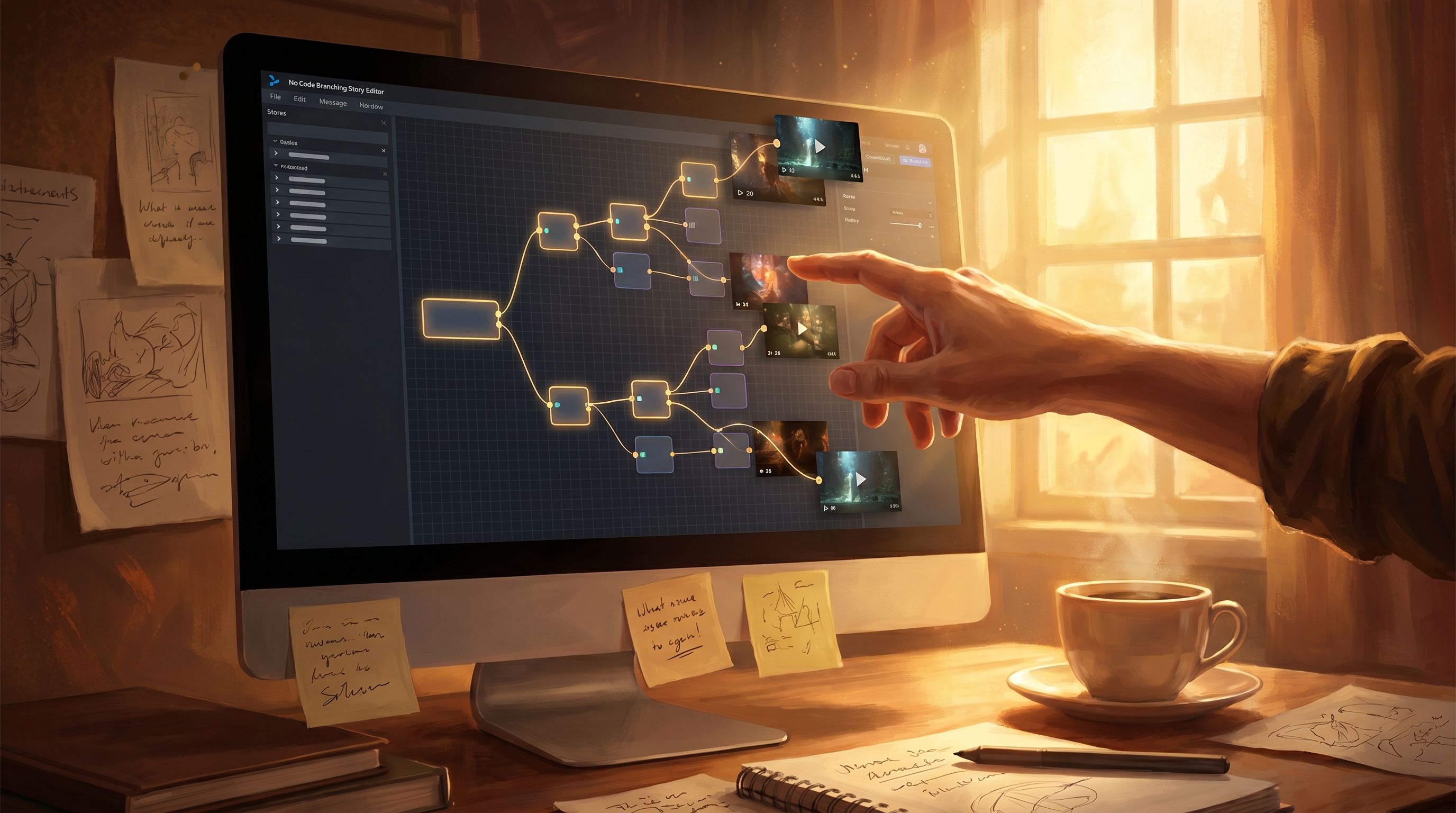
Integrating Micro-Video into Your Questas Flow
Once you’ve generated your clips, the next step is integrating them into your Questas scenes in a way that feels smooth and intentional.
1. Decide: Background, Inline, or Modal?
There are three common patterns for using micro-video in interactive stories:
-
Background video behind text and choices
- Great for establishing mood at a location or during a tense decision.
- Keep motion subtle so it doesn’t distract from reading.
-
Inline video embedded above or below the choice text
- Ideal for short consequence clips or reaction shots.
- Players see the clip, then immediately make or reflect on a choice.
-
Modal or “spotlight” video that briefly takes over the screen
- Use sparingly for major twists or branch on-ramps.
- Feels like a mini cutscene but should still stay under 10 seconds.
Pick one or two patterns and use them consistently so players quickly understand what micro-video means in your story.
2. Keep Load Time and Attention in Check
Micro-video should feel snappy. A few practical tips:
- Aim for 3–8 seconds per clip.
- Use compression presets that balance quality with quick loading.
- Avoid stacking multiple videos in a single scene—one is usually enough.
If you’re designing mobile-first Questas (for live events, sales teams, or classroom play), this matters even more. Short clips keep the experience accessible on shaky Wi‑Fi.
3. Use Motion as a Feedback Mechanism
Micro-video isn’t only for drama. It’s also a subtle way to give players feedback about how the system is responding to them.
- A quick celebratory animation when they unlock a hidden path.
- A brief visual of a faction’s symbol glowing when they earn reputation with that group.
- A quiet, somber loop when they hit a “soft fail” state and need to regroup—tying into patterns from Adaptive Difficulty in Interactive Stories: Using Soft Gates, Hints, and Optional Paths in Your Questas.
Over time, players learn to read these micro-videos almost like UI language.
Testing and Iterating Your Video Moments
Because micro-videos are small and cheap to regenerate with AI, they’re perfect candidates for rapid iteration.
Here’s a simple loop you can run inside your Questas projects:
-
Tag your key video moments.
- Add a note in your scene titles or descriptions:
[MV-1],[MV-2], etc.
- Add a note in your scene titles or descriptions:
-
Run short playtests.
- Ask 3–5 players to run through just the sections that include micro-video.
- Watch (or record) where they pause, rewatch, or skip.
-
Ask focused questions.
- “Did the video make the choice clearer or more confusing?”
- “Did it change what you wanted to pick?”
- “Was there any moment that felt like too much or too little motion?”
-
Iterate on one variable at a time.
- Try a closer camera angle.
- Shorten the clip.
- Change the lighting or color grade to better match the emotion.
-
Measure engagement over time.
- Compare completion rates and branch exploration between versions with and without micro-video.
You don’t need full analytics to see the difference; even small, informal tests will quickly reveal which moments are carrying their weight.
A Quick Starter Blueprint: Your First Micro-Video Powered Questas
If you want a simple way to start experimenting with micro-video, try this one-evening blueprint (it pairs nicely with the approach in The One-Evening Story Sprint: Shipping a Complete Questas Prototype from Blank Page to Playtest):
-
Pick a compact scenario.
- A single negotiation.
- A short dungeon room with two exits.
- A museum guard’s night shift.
-
Map 3–5 key choices.
- One early fork.
- Two mid-story decisions with real consequences.
- One climactic choice.
-
Design 3 micro-video beats.
- One for the first fork.
- One for the climactic decision.
- One as a consequence clip after a major branch.
-
Generate and integrate the clips.
- Keep each under 8 seconds.
- Place them as background or inline videos in your Questas scenes.
-
Run a mini playtest with 2–3 people.
- Ask them which moments felt most alive.
- Note where they mentioned the video specifically.
-
Refine one clip based on feedback.
- Don’t try to fix everything at once.
- Get a feel for how small visual changes shift the emotional weight of a choice.
By the end of a single evening, you’ll have:
- A playable Questas prototype
- Three functioning micro-video moments
- Real feedback on what motion does for your story
From there, you can scale up to more complex worlds, multi-session campaigns, or training programs.
Wrapping Up: Small Clips, Big Ripples
Micro-video is one of those tools that’s easy to overlook because it feels… small. But in interactive stories, small is often where the magic lives.
Used well, short AI-generated video moments in your Questas:
- Direct attention to the choices that matter most
- Make consequences feel immediate and tangible
- Deepen emotional engagement without requiring feature-length production
- Give you a fast, flexible way to iterate on how your story feels, not just what it says
You don’t need a studio. You don’t need a budget. You just need a clear sense of what each clip is supposed to do for the story—and a willingness to experiment.
Your Next Step
If you’re ready to see what micro-video can do inside your own branching stories, here’s a simple first move:
- Open one existing Questas project—or start a new one from a tiny idea.
- Identify three key choices that shape the experience.
- Design one micro-video beat for each, using the template above.
- Generate, integrate, and share a link with a friend or colleague.
Let those three clips be your testbed. Watch how they change the energy of your story. Once you feel the difference, you’ll start seeing opportunities for micro-video everywhere.
Adventure awaits—one tiny, powerful moment at a time.